
SanDisk Ultra vs Extreme: Which One Actually Fits Right
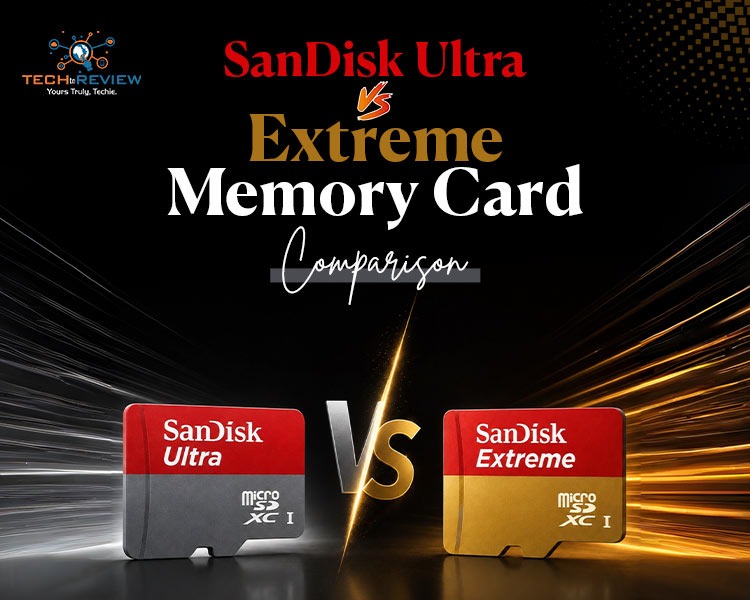
Picking the memory card can be really confusing. All those labels like UHS-I V30 and A2 are printed in small letters.
It is easy to get confused when you are looking at SanDisk memory cards, especially choosing between SanDisk Ultra and Extreme.
The big difference between SanDisk Ultra vs Extreme is speed. How well they work. SanDisk Ultra memory cards are made for use like adding more space to your phone or saving files. SanDisk Extreme memory cards are made for things that need a lot of power, like recording videos in 4K or taking a lot of pictures fast.
Let's take a look to see which SanDisk memory card is best for what you need to do.
Comparing Speed and Specifications
The biggest difference between the SanDisk Ultra and the SanDisk Extreme is how fast each one reads and writes data. Most people only look at the read speed printed on the box. The choice between the SanDisk Ultra vs Extreme really comes down to the write speed, which shows how fast your camera or your phone can actually save your photos and your videos.
- SanDisk Ultra: Gives you read speeds up to 150 MB/s, but the write speed is not specified and is much lower (Class 10 / U1).
- SanDisk Extreme: Gives you faster read speeds up to 190 MB/s and a strong write speed up to 130 MB/s (V30 / U3).
Understanding SanDisk Ultra Specs
The SanDisk Ultra microSD card targets casual users. It delivers solid read speeds of up to 120-150 MB/s. This means files copy over to your computer quite quickly.
SanDisk does not usually tell people about the speeds of the Ultra. This is because the speeds can be very slow at times. They can go down to the speed that is required for a Class 10 card, which is around 10 MB/s. The Ultra has a U1 or Class 10 rating for video. This means the SanDisk Ultra can handle HD video without any problems. The SanDisk Ultra has trouble with higher resolutions, like videos that are better than Full HD.
Understanding SanDisk Extreme Specs
The SanDisk Extreme series steps up the performance drastically. It boasts read speeds up to 190 MB/s and write speeds hitting 130 MB/s.
Crucially, it features a V30 (Video Speed Class 30) rating. This guarantees a minimum sustained write speed of 30 MB/s, which ensures smooth data logging without dropped frames.
Key Performance Differences: Sandisk Extreme vs Ultra
When evaluating Sandisk Extreme vs Ultra, your decision should match your specific device.
- 4K Video Recording: When you want to record 4K video, you should know that using Ultra will probably cause problems. Your 4K video recording will likely have trouble; it might even stop working. The Extreme card is really good for 4K UHD video because it has V30 and U3 classifications.
- Application Performance: If you use apps or play games from the card as you do on an Android phone or a Nintendo Switch, the Extreme card is very helpful. The Extreme card has an A2 rating, which means it can load things faster. This makes a difference when you are running applications from the Extreme card.
- Burst Photography: Professional cameras shooting raw files in quick succession will rapidly fill up the camera's internal buffer. An Extreme card empties that buffer quickly, while an Ultra card will leave you waiting.
Stepping Up: SanDisk Extreme vs Extreme Pro
Ever felt like your regular Extreme card still limits your workflow? Then you should look at a step up. Comparing the SanDisk Extreme vs Extreme Pro shows you the absolute best speed you can get from a standard memory card.
- SanDisk Extreme: Great for action cameras, drones, and basic 4K recording.
- SanDisk Extreme PRO: Built for pros who need top-tier performance for fast photo bursts and heavy 4K or 5K video.
While the regular Extreme card gives you up to 190 MB/s read and 130 MB/s write speeds, the SanDisk Extreme PRO bumps that up to 200 MB/s read and 140 MB/s write.
Which One Should You Buy?
Choosing the right memory card can be tough, so let's keep it super simple! Here is how to decide:
Choose the SanDisk Ultra if:
- You want basic storage expansion for a tablet or smartphone.
- Your primary goal is storing music, movies, or documents.
- You only record video in standard Full HD (1080p).
- You are shopping on a tight budget and want the maximum capacity.
Choose the SanDisk Extreme if:
- You are using an action camera, a drone, or a mirrorless camera.
- You regularly shoot video in 4K resolution.
- You want apps and mobile games to launch and load quickly.
- You want a card with a lifetime warranty for extra peace of mind.
FAQ:
1.Is SanDisk Ultra or Extreme better for a camera?
Use a SanDisk Extreme PRO SDXC card for your DSLR camera. It works best because it gives you fast photo bursts and smooth video recording without any lag or waiting.
2.Is SanDisk Ultra good for photography?
The SanDisk Ultra 128GB memory card offers reliable speeds up to 100MB/s. It is great for fast file transfers, shooting Full HD videos, and taking quick burst photos with ease.
3.What are common SanDisk Ultra problems?
Common SanDisk Ultra problems include sudden data loss, cards not working in devices, slower speeds than promised, and many fake versions being sold online by untrusted sellers.
About author

16 Bit vs 8-Bit: Which Is Better for Photo Editing?

Learn the difference between 16-bit and 8-bit images, including colour depth, editing flexibility, file size, and which option is best for your photos.
Why Choose SaveFromIns for Instagram Video Downloads?

Instagram has a variety of videos that you can watch, including cooking tutorials, travel guides, educational, product demos and creative reels. If you come across a video that you would like to save, it can be difficult to locate the same post again, with lots of new content in your feed.
How to Download Netflix Series as MP4 on a Laptop

Are you planning a long flight or weekend trip without reliable internet? Downloading your favorite Netflix series in advance seems like the great solution.
From Cards to Screens: The Evolution of Digital Games

Card games and board games used to come with a fair bit of setup. You needed the cards, pieces or board in front of you, and in many cases someone else had to be there too.
RTX 5060 vs RTX 4060: Is the Newer GPU Worth Your Money?
RTX 5060 vs RTX 4060: Compare gaming performance, FPS, GDDR7 vs GDDR6, DLSS features, power consumption, and prices to choose the right GPU in 2026.
How I Reclaimed Crucial SSD Space Without Deleting Essential Data Using Advanced SystemCare 20

I did not want to drag folders to the Recycle Bin and hope for the best. I wanted to free up room without losing documents, photos or settings. That is how I ended up testing Advanced SystemCare 20, a free Windows cleaner from IObit.