
Why Choose SaveFromIns for Instagram Video Downloads?
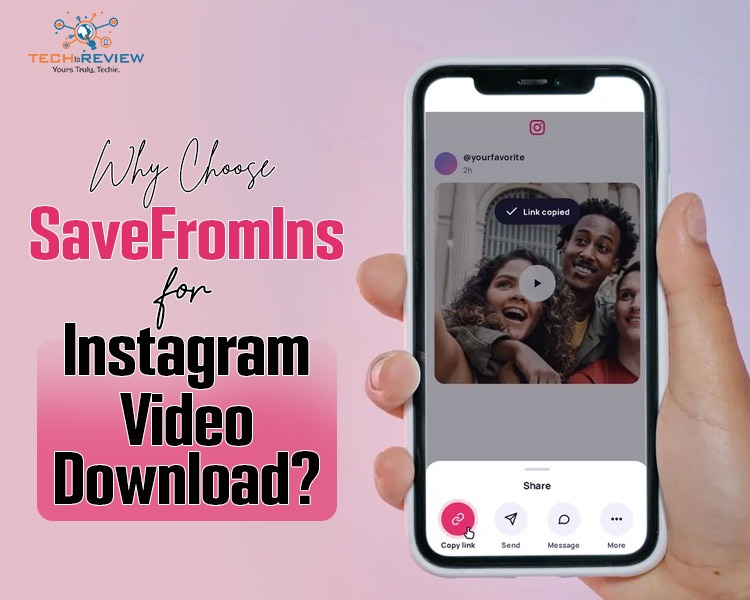
Instagram has a variety of videos that you can watch, including cooking tutorials, travel guides, educational, product demos and creative reels. If you come across a video that you would like to save, it can be difficult to locate the same post again, with lots of new content in your feed.
An online Instagram video downloader offers an alternative way to approach this task. You don’t have to install anything by going to a website and entering the URL of any supported videos. You can then follow the instructions to download. SaveFromIns is a great place to start if you want to try this. As it uses links, it will help you get to grips with how websites work and if this is what you need.
What Is SaveFromIns?
SaveFromIns is a website which can be used to download videos from Instagram. All you need to do is paste the link.
Once you have found the video you want to save, take note of the URL from Instagram. Paste this into the relevant box on SaveFromIns within your browser. Once done follow the on-screen prompts to see if you can download the video.
This may help if you wish to save this video for later. This could include cooking tutorials so that you can look back at the steps whilst cooking, or travel videos to give ideas for your next trip. If you can download the content then having a version you can easily access will give you an alternative source to refer to.
There are a few reasons why you may not be able to download a video. It could be due to privacy settings, the original post being removed, the platform itself not allowing it or the downloader not having the capability. Not all Instagram videos can be accessed using a URL.
A Straightforward URL-Based Workflow
A benefit of the downloaders in your browser is that they are easy to understand. You simply follow a few steps.
Open Instagram and find the video you want to download. Use the share buttons to copy your video post link. Ensure you have got the right video and are allowed to download it.
Now open the SaveFromIns page on your browser. Find the box where you enter the video URL and paste your copied link. Then follow the instructions on the site. If your service allows for this to be available, then there should be an option to download.
Once you have downloaded the video file, you should be able to search for it within your downloads folder, file manager or your browsers download history. You can then open the file to confirm that it is accessible.
This method makes it very easy to download your video, you don’t need to find the file location in Instagram’s servers. However the exact steps can vary between browsers, devices and how the service currently works.
Why Choose a Browser-Based Downloader?
An online downloader can be useful for those that want to download videos from time to time without needing to install any new software. No need to search for new software, download an installation file and have to learn a new interface. You can simply go to the website.
If you like to keep your device clean this can be useful. If you are only looking to save a video from time to time you won’t require a specific piece of software. Using an online tool can ensure you don’t have to go through extra steps to install the downloader.
SaveFromIns is a great option. This works by focusing on the URL. Simply go to the website, put in the relevant link and follow instructions.
Whilst this can be accessed via your browser there is no guarantee this will work. The features, support and downloads available could change so you should always check the website.
It is wise to be cautious when using online tools. Don’t download any unexpected extensions or software from adverts and don’t give your Instagram password or verification codes to a downloader that has nothing to do with your account.
Using an Instagram Video Downloader on Different Devices
Instagram can be used on smartphones, tablets, laptops and desktops. Using a browser might give more flexibility as you won’t necessarily need an app.
For your smartphone, you would copy the video URL from Instagram, launch a compatible browser and paste the URL into your downloader. If you successfully downloaded the file it will be found in your browser history or file manager (this will depend on your device and what browser you're using).
You can do this on your tablet as long as you have a compatible browser. This makes it easy to view your saved media on a larger screen.
Copy the URL of the Instagram post on your laptop/desktop and paste into a browser with SaveFromIns open. Follow the steps on the website. Generally, if you are able to download a file it will be saved in your computer's Downloads folder. However, it may vary if you have changed your browser's download settings.
These are just examples of what you can do using a browser. You may find that the browser version, operating system and privacy settings affect how you can use this. It’s a good idea to check that it’s compatible before relying on this service.
How a Video URL Makes Saving More Convenient
This kind of downloader works using the URL. This means you can easily enter the link to the specific Instagram post you want to view without having to search for it again or describe it to another service.
Let's say you come across a home repair tutorial on Instagram. You may want to save this so you know where to find the instructions. By copying the URL of the post you're able to directly enter it into a suitable downloader.
SaveFromIns uses a similar method. Simply find the video, copy the URL and paste it into the website. From here you can see what options are available to download.
However, simply having the URL doesn't mean you'll be able to download the actual video file. If the post has been removed, there are restrictions or if the service can't process it then you may not have the option. To avoid making any unnecessary mistakes ensure you are copying the right link and that the original post should be accessible.
If you're simply looking to find the post again at a later date then Instagram's Save feature could be enough. However, if you genuinely want to download a separate file then this would be more relevant. As long as you have the right permissions you can save the content.
Privacy, Copyright, and Responsible Downloading
There are several factors to take into consideration when choosing a downloader. You need to ensure that you're keeping your data secure and respecting the rights that come along with the videos.
Before using SaveFromIns or any third party websites, be sure to check out their terms and conditions. Be cautious of sites requesting too much personal information, log in details and verification codes. You shouldn’t be sharing your sensitive log in details for a video link.
Respect the author’s rights. Just because something is found online doesn’t mean you can use it. If you download a video you do not own this video so you cannot share it or use it for commercial purposes or include it in your projects. If you need permission make sure you get it from the right place.
Respect the privacy settings. If the video is private or cannot be accessed by you then you should not assume that the downloader will be able to. If it's your own content then using the official Instagram options may be the best way to get a copy.
By taking these precautions you will have a realistic downloader and reduce any potential issues with privacy and using someone else's work inappropriately.
Conclusion
SaveFromIns is another option which allows you to download videos from Instagram via your browser. The process is easy as you simply need to find a supported video on Instagram, copy the link and paste it onto the site.
This method means you do not have to download any additional downloaders and if it works on your device then the process should be familiar to you whether you're using a smartphone, tablet or computer. As it uses a link, you know exactly what you're downloading.
However, you cannot be sure that you can download everything from this method. It's important to know what features the website has, keep your personal information safe and abide by any access restrictions and copyright issues. If you need to download a supported video from Instagram, then this could be a good option to consider alongside the options available within Instagram itself.
About author
Why Choose SaveFromIns for Instagram Video Downloads?

Instagram has a variety of videos that you can watch, including cooking tutorials, travel guides, educational, product demos and creative reels. If you come across a video that you would like to save, it can be difficult to locate the same post again, with lots of new content in your feed.
How to Download Netflix Series as MP4 on a Laptop

Are you planning a long flight or weekend trip without reliable internet? Downloading your favorite Netflix series in advance seems like the great solution.
From Cards to Screens: The Evolution of Digital Games

Card games and board games used to come with a fair bit of setup. You needed the cards, pieces or board in front of you, and in many cases someone else had to be there too.
RTX 5060 vs RTX 4060: Is the Newer GPU Worth Your Money?

RTX 5060 vs RTX 4060: Compare gaming performance, FPS, GDDR7 vs GDDR6, DLSS features, power consumption, and prices to choose the right GPU in 2026.
How I Reclaimed Crucial SSD Space Without Deleting Essential Data Using Advanced SystemCare 20

I did not want to drag folders to the Recycle Bin and hope for the best. I wanted to free up room without losing documents, photos or settings. That is how I ended up testing Advanced SystemCare 20, a free Windows cleaner from IObit.
Samsung TV Not Connecting to WiFi? Get the Easy Fixes Here

Samsung TV not connecting to WiFi? Learn why it happens, try easy step-by-step fixes, and know what to do if nothing works. Fix & get back to streaming fast.