
16 Bit vs 8-Bit: Which Is Better for Photo Editing?
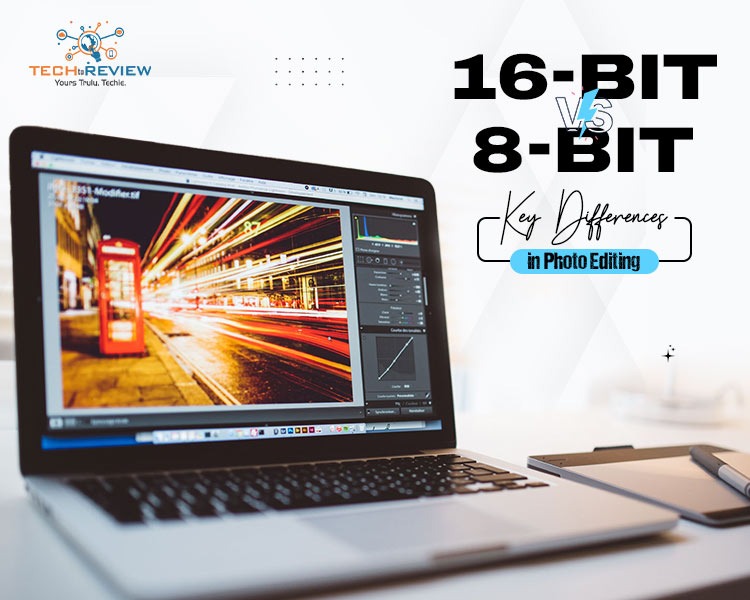
Surely, you must have captured a great photo with your phone, which looks great in 1 go, but when you open it in the editing app, things start to go wrong. You brighten the dark spots and adjust the contrast and colours, but suddenly the sky looks patchy or certain details disappear. Why does this happen? One reason could be the image’s bit depth. Once you understand 16-bit vs 8-bit, you’ll see why some photos are easier to edit than others. If you only make small changes, 8-bit works just fine. But if you want to make bigger edits and have more control over colours and details, 16-bit gives you more room to work with.
What Does Bit Depth Mean in Digital Images?
The bit depth in images generally indicates the amount of colour information that can be stored per pixel. When creating an image, all colours are formed by combining three primary colours: red, green, and blue. The higher the indicated bit depth, the better the quality of colours and the more variation there is for each colour in the image. In addition, it becomes easier to edit the image: adjust brightness, contrast, or colour balance.
How Bits Translate Into Colour Values
Think of bits as a range of colours in your image. An 8-bit image has 256 shades of colour in each pixel, while 16-bit has 65536 shades of colour in each pixel. Therefore, if you make changes to your photo using 16-bit depth, its quality after editing will be better compared to an 8-bit image.
16 Bit vs 8 Bit: What is the Actual Difference?
The main difference between 16 Bit vs 8 Bit images is how much colour information they can store. This affects how much you can edit your photo, how smooth the colours look, and how much storage space the file needs.
8-Bit Images: Simple and Easy to Use
An 8-bit image can store 256 shades for each colour channel (red, green, and blue). Together, these create around 16.7 million possible colours. That’s more than enough for your social media posts, website graphics, and everyday photos. Plus, 8-bit files are usually smaller, so they are easier to store and share. But if you make too many changes to brightness or colours, you might notice uneven patches in the sky or other smooth areas. This is called colour banding.
16-Bit Images: More Freedom to Edit
A 16-bit image can store up to 65,536 levels per colour channel, giving you much more colour information to work with. This is especially useful when you want to brighten dark areas, fix exposure, or make big changes to your photo’s colours. You can make these adjustments with a lower risk of creating visible colour bands. The only drawback is that 16-bit files are usually larger and can use more memory while you edit.
8 Bit vs 16 Bit Comparison
Not sure whether you should use 8-bit or 16-bit for your photos? So basically it depends on how much editing you want to do.
If you want to edit everyday photos and share them online, 8-bit is a great choice for you. But if you plan to make bigger changes to colours, brightness, or shadows, 16-bit gives you more flexibility and helps keep colour transitions smooth.
Can You Convert an 8-Bit Image to 16-Bit?
Yes, you can convert an 8-bit image to 16-bit using editing software like Photoshop. But here’s the thing: you can’t bring back colour details that were already lost. Converting the image only gives you more room for number-based adjustments; it doesn’t add the missing information. So, if you want to make big changes to your photo, it’s better to start with a RAW file or an original image with a higher bit depth. This gives you more freedom to adjust brightness, shadows, and colours while keeping your photo looking smooth.
Which Bit Depth Should You Choose?
The choice of 8-bit or 16-bit depends on the purpose and use of photos. Considering that 8-bit is more suitable for processing digital photographs for everyday use and sharing on social media. Whereas, 16-bit is appropriate for those who are going to make heavy edits and want to improve the quality of their photos. Choosing a particular mode depends on the source photos, expected results and intended use. Remember that a good camera or higher bit depth isn't always better and can be useless if you'll do minimal image editing.
FAQ:
1.Is 12 bits better than 8 bits?
Technically speaking, yes, 12-bit colour is better than 8-bit in that it provides far more colours and gradations in between, but it also depends on what you're using the colour depth for.
2.Is 10-bit good quality?
Yes, 10-bit video provides noticeably better quality than standard 8-bit video.
3.Which is better, 720p or 720p 10-bit?
While standard 720p (8-bit) works better with older computers and video cards, 720p 10-bit will provide far better colour depth and gradation.
About author

16 Bit vs 8-Bit: Which Is Better for Photo Editing?

Learn the difference between 16-bit and 8-bit images, including colour depth, editing flexibility, file size, and which option is best for your photos.
Why Choose SaveFromIns for Instagram Video Downloads?

Instagram has a variety of videos that you can watch, including cooking tutorials, travel guides, educational, product demos and creative reels. If you come across a video that you would like to save, it can be difficult to locate the same post again, with lots of new content in your feed.
How to Download Netflix Series as MP4 on a Laptop

Are you planning a long flight or weekend trip without reliable internet? Downloading your favorite Netflix series in advance seems like the great solution.
From Cards to Screens: The Evolution of Digital Games

Card games and board games used to come with a fair bit of setup. You needed the cards, pieces or board in front of you, and in many cases someone else had to be there too.
RTX 5060 vs RTX 4060: Is the Newer GPU Worth Your Money?
RTX 5060 vs RTX 4060: Compare gaming performance, FPS, GDDR7 vs GDDR6, DLSS features, power consumption, and prices to choose the right GPU in 2026.
How I Reclaimed Crucial SSD Space Without Deleting Essential Data Using Advanced SystemCare 20

I did not want to drag folders to the Recycle Bin and hope for the best. I wanted to free up room without losing documents, photos or settings. That is how I ended up testing Advanced SystemCare 20, a free Windows cleaner from IObit.