
AI Vector Generator: Create Stunning Designs in Seconds
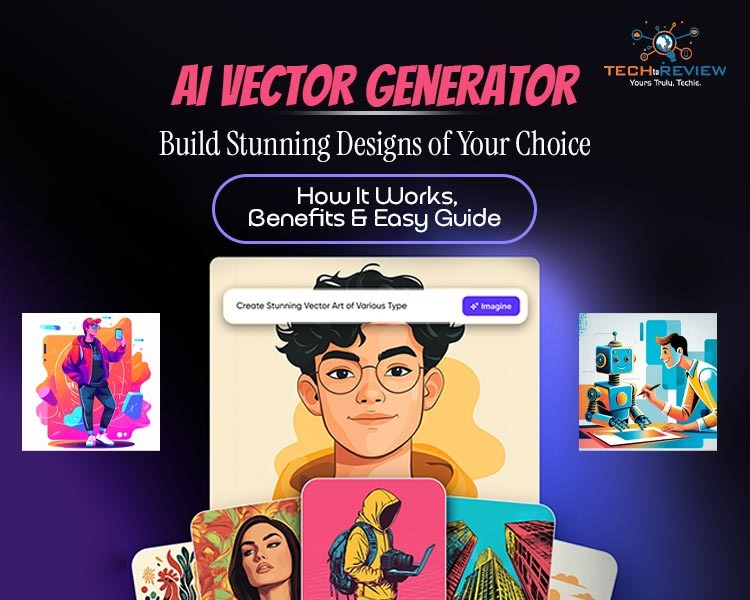
Ever had a great design idea but zero clue how to implement it? That is exactly where an AI vector generator changes everything. This tool is changing the way users generate digital graphics. Instead of spending hours learning complex Photoshop tools, you can now convert text prompts, sketches, or images into high-quality vector files within seconds.
This is why it is quickly becoming a must-have tool for designers, marketers, and even beginners. Another unique factor that sets it apart from other competitors is that it removes technical barriers and speeds up creativity like never before. If you are looking to create professional-looking logos, icons, or social graphics, read till the end. We have created a perfect guide on what an AI vector generator is, how it works, and its implementation steps.
What is an AI Vector Generator? (Simple Explanation)
An AI vector generator tool is powered by artificial intelligence. The tool uses machine learning models to detect shapes, edges, and patterns, then converts them into scalable formats like SVG. These vector graphics can be scaled infinitely without losing quality, making them ideal for logos, illustrations, and digital assets. This is one of the main reasons this technology is widely used in branding, UI/UX design, marketing visuals, and content creation.
Still confused about how it works? Simply think of the AI vector generator as your personal design assistant. All you need to do is describe an idea, and the tool will understand your input to build clean, scalable artwork that you can resize.
In simple terms, the tool converts images or text prompts into vector graphics. If you are a beginner, use the AI vector generator free version to generate professional visuals without advanced design skills.
How do AI Vector Generators Work?
The tool is based on a structured AI pipeline. First, the system receives input from the user, either through an image or an AI vector generator prompt. Then the AI model analyses shapes, objects, and boundaries using computer vision.
Next, pixel-based data is converted into mathematical vector paths. Finally, the output is refined to ensure clean lines and scalability.
An AI vector generator, a free online tool, simplifies this process by automating all technical steps in the background.
Steps-by-step Guide on AI Vector Generator Tool
Using an AI vector generator is simple and follows a clear step-by-step workflow:
Step 1: Choose the Platform
Select the tool depending on your needs.
Step 2: Input Your Idea
Enter an AI vector generator prompt describing your design, such as “futuristic logo with blue neon theme.”
Step 3: Upload or Generate Input
You can upload an image or start from scratch using text-based generation.
Step 4: AI Processing
The system analyses shapes, patterns, and style requirements using machine learning.
Step 5: Vector Conversion
The AI converts the input into scalable vector paths and structures.
Step 6: Edit and Refine
Users can adjust colours, curves, and shapes to refine the final output.
Step 7: Download File
Finally, export the final design in SVG, AI, or EPS format for use in branding or marketing.
This step-by-step workflow makes the AI vector generator extremely beginner-friendly and efficient for fast design creation.
Advantages & Disadvantages of AI Vector Generator Tools
AI vector generators are widely used in startups and agencies to speed up design workflows. Yet, the utilisation of this tool comes with multiple advantages and disadvantages. These include:
Leading AI Vector Generator Tools?
- Adobe Illustrator – Best for professional designers using Adobe Creative Cloud.
- Canva AI – Ideal for beginners and marketers creating quick vector-based graphics.
- Recraft AI – Popular for generating high-quality vector illustrations, icons, and logos from text prompts.
- Vectorizer.AI – Excellent for converting images into clean, scalable vector graphics.
- Kittl AI – Great for creating logos, typography, and marketing assets with AI assistance.
- Linearity Curve AI – A powerful AI-powered vector design tool for macOS and iPad users.
What’s Next for AI Vector Generator Technology
The future of the AI vector generator is exciting. In the near future, these platforms will:
- Generate vectors using voice commands
- Edit designs in real-time with AI suggestions
- Integrate directly into tools like Figma, Adobe, and Canva.
Additionally, AI vector generator tools are becoming more accurate and widely accessible, improving design automation significantly.
Level Up Your Design Skills with AI Vector Generator
An AI vector generator is transforming the design industry by making vector creation faster, easier, and more accessible. Whether you are a beginner or a professional, these tools simplify complex design workflows. As Artificial Intelligence continues to evolve, the AI vector generator will become an essential part of digital creativity and modern design systems.
FAQs
1. What is an AI vector generator?
It is a tool that converts text or images into scalable vector graphics using artificial intelligence.
2. Is the AI vector generator free?
Yes, many platforms offer an AI vector generator free for basic design development.
3. How does an AI vector generator, a free online tool, work?
It processes text prompts or images using AI models and converts them into vector-based designs automatically.
4. What is an AI vector generator prompt?
It is a text instruction given to the AI that describes the design you want it to generate.
About author

Portable Bluetooth Speaker: Best Picks for Your Travel Bag

Looking for a portable Bluetooth speaker for travel? Check out 5 easy-to-carry options with different sound, battery, and durability features.
Budget Gaming PC: The Smart Gamer’s Guide to Saving Money

Looking for a budget gaming PC? Learn how to choose the right GPU, CPU, RAM, storage, PSU, and cooling without overspending.
Why Is My Cell Phone Getting Hot? Learn the Quick Fixes

Wondering why is my cell phone getting hot? Discover the hidden triggers behind your device overheating and learn quick, safe tricks to cool it down fast.
How to Make Your Laptop Run Faster: Easy Ways to Speed Up

Is your laptop slow or freezing? Learn easy ways of How to make your laptop run faster, from clearing files and updating software to upgrading RAM and SSD.
Why Responsible IT Asset Disposition Matters in the Age of Constant Upgrades

Discover why responsible IT asset disposition matters in an upgrade-driven world, helping businesses protect data, reduce waste, and recover asset value.
3:2 vs 16:9: Which Aspect Ratio Should You Choose

Wondering about 3:2 vs 16:9 aspect ratios? Learn the key differences, best use cases, and limitations to pick the right one for your shots.