
Produce Celebration Videos for Milestones with AI Video Generator
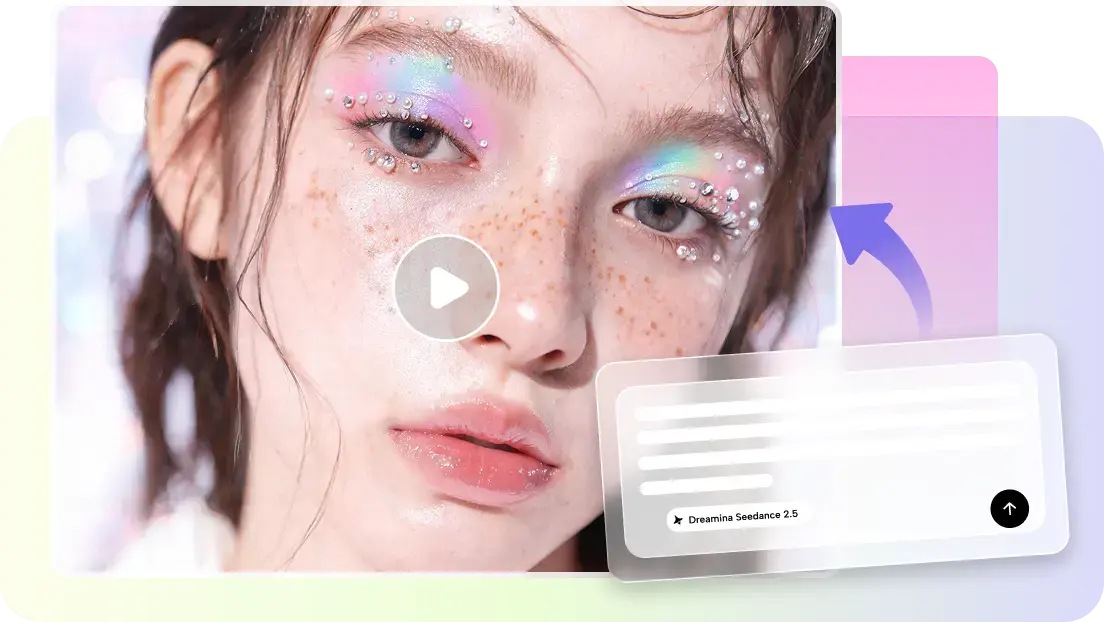
Important milestones, emotions, and lasting connections are all extremely dependent on memorable presentations. The traditional way of editing can be time-consuming, organized, and creative. Pippit simplifies this by transforming prompts and reference material into beautifully finished celebration videos. The platform provides an opportunity to streamline production as well as to capture the unique meaning of each occasion in different visuals, pacing, and storytelling.
Turn Meaningful Milestones into Memorable Visual Stories
There is always intent and preparation for all great occasions. First, ascertain whether it's a personal, professional, organizational, or community milestone. Then create a suitable emotional journey in accordance with the occasion: serious, elegant, nostalgic, uplifting, playful, cheerful, or energetic. Create a story to illustrate the journey, significant milestones, big achievements, and the celebration. Plan photos, videos, graphics, words, dates, and information before filming. Finally, consider the listeners — the people listening to the story— might have different tastes and preferences about what type of story they enjoy the most, whether it's colleagues, friends, family, supporters, or professionals. All the visual elements can be made to serve the purpose of reinforcing the important milestone and to create a deeper emotional impact if planned properly.
Shape Celebration Videos with AI Instead of Manual Production
With AI video generator features, Pippit takes detailed prompts and turns them into captivating visual sequences, streamlining production. Clear descriptions are used to communicate the atmosphere, movement, locations, emotions, and overall visual direction well. Still images are transformed into dynamic memories with animated effects and deliberate transitioning. Automated pacing, caption generation, voice generation, and visual enhancements and transitions will save a great deal of repetitive editing tasks. Content generation also supports prompts, uploaded files, online links, reference media, and existing visuals. Once generated, Pippit's editing tools are used to enhance trims, resizing, backgrounds, effects, placement of text and images, and visual consistency, even for those who aren't advanced editors.

Celebration Video Ideas for Different Milestones
There are different types of stories to match the different achievements and different expectations of the audience. Business anniversaries are used to highlight the business' development, the organization's significant milestones and accomplishments over significant years. Project completion videos encourage collaboration, substantial accomplishments, project delivery, and teamwork. Follower achievements reward flourishing communities with lively statistics, appreciation, and fun. Graduation Celebrations are a significant display of cherished pictures, messages, and uplifting memories. Reels and motivational stories highlight team achievements, focusing on the team effort and dedication. By organizing memories in chronological order and enhancing the emotional impact, personal anniversaries turn into heartfelt tributes. Pippit is creative and has models for each of these circumstances, including the Seedance 2.5 for proper visual generation.

Steps to Produce Celebration Videos for Milestones with AI Video Generator
Step 1: Create your milestone video project
- Register on Pippit using your Google, TikTok, or Facebook account details.
- Navigate to the "More" tab and click "Video generator" from the left vertical menu bar.

- Pick an AI model such as Dreamina Seedance 1.0, Dreamina Seedance 2.0, Dreamina Seedance 2.0 Fast, Dreamina Seedance 2.0 Mini, or Dreamina Seedance 2.5.
- Add a detailed prompt describing your celebration theme, mood, and visual ideas.
- Select video length, language, subtitles, and aspect ratio.
- Click "+" to upload celebration images or videos from your device, phone, Dropbox, or a link. You can also use available assets.
- Click "Generate" to create your milestone video.

Step 2: Generate your celebration video
- Pippit's AI video generator automatically creates a celebration video from your prompt and reference media.
- The AI handles transitions, pacing, captions, avatars, voice, lyrics, and visual enhancements.
- Review the video draft before making final changes.

Step 3: Finalize and export your celebration video
- Use the "Download" tab to save your video, click "Regenerate" for a new version, or select "Edit more" for extra customization.

- Edit captions, add text, and adjust size, color, alignment, filters, and effects.
- Add background music, remove backgrounds, and polish the visuals.
- Click "Export" once the video is complete.
- Select "Publish" to share on TikTok, Instagram, or Facebook, or click "Download" to save the final video with your preferred format, resolution, frame rate, and quality.

Personalize AI-Generated Milestone Videos Without Overcomplicating Editing
Content that is memorable and celebrates is personalised—name, date, achievements, and identifiable information throughout the presentation. Do not employ the same typography, visual effects, imagery, and movement for all events. Thoroughly edit captions to make them easier to read, more emotional and/or more correct. Background music should be used to enhance emotional moments but not detract from narration or important messages. In fact, Pippit's editing controls will allow you to make adjustments such as text size, text alignment, filters, background and visual effects as well as presentation quality prior to exporting the finished project.
Build a Strong Emotional Arc from Opening to Final Celebration
An emotional structure that engages viewers throughout the presentation. Use an impressive achievement, visual, number, or date as a beginning. Recap on previous experiences that will provide a rationale for how the path to success has been attained. Provide photos, stats, recognition messages, and meaningful scenes for enough "viewing time" to have a greater emotional impact. Include celebratory transitions, expressive typography, movement, or symbolic imagery to highlight a climax that celebrates the achievement itself visually. Close with Appreciation, Congratulations, Future aspirations or Recognition, depending on the event, to create a positive lasting impression with viewers.
Prepare Milestone Videos for Social and Professional Channels
When it comes to distribution, you need to make sure you plan it out for each platform. Prior to export, select vertical, square, or landscape formats as per destinations. Include names, dates, accomplishments, and congratulatory statements within comfortable viewing spaces for easy readability. Subtitles increase video access for people who do not hear the videos. There is time for storytelling in commemorative presentations, which are appropriate at social venues, but short celebrations are appropriate too. Additionally, Pippit provides export functionality for desired formats, resolutions, frame rates, and quality settings to ensure consistent content when publishing on professional and social channels.
Final Checks Before Sharing an AI-Generated Celebration Video
Quality is ensured, and credibility is maintained with final reviews before public sharing. Double-check names, dates, milestone numbers, achievements, and other factual information. Analyse visuals used for consistency, realism, and accurate representation of the celebration. Check narration, captions, and visuals for review and ensure that natural storytelling is maintained. Evaluate the flow, pacing, sequence of scenes, effects and emotion throughout the presentation. Repeat the Regenerate or Edit more options with Pippit until the desired effect is achieved, if necessary.
Conclusion
The Celebration videos are meaningful if the storytelling is thoughtfully done, along with efficient production. Emotional impact is long-term, through good use of source materials, effective prompts, pacing and personalisation. Pippit combines prompt-based creation, integration of reference media, and practical editing features in a single streamlined workflow. For milestone videos, these are effective in highlighting milestones and providing memorable stories to share.
Portable Bluetooth Speaker: Best Picks for Your Travel Bag

Looking for a portable Bluetooth speaker for travel? Check out 5 easy-to-carry options with different sound, battery, and durability features.
Budget Gaming PC: The Smart Gamer’s Guide to Saving Money

Looking for a budget gaming PC? Learn how to choose the right GPU, CPU, RAM, storage, PSU, and cooling without overspending.
Why Is My Cell Phone Getting Hot? Learn the Quick Fixes

Wondering why is my cell phone getting hot? Discover the hidden triggers behind your device overheating and learn quick, safe tricks to cool it down fast.
How to Make Your Laptop Run Faster: Easy Ways to Speed Up

Is your laptop slow or freezing? Learn easy ways of How to make your laptop run faster, from clearing files and updating software to upgrading RAM and SSD.
Why Responsible IT Asset Disposition Matters in the Age of Constant Upgrades

Discover why responsible IT asset disposition matters in an upgrade-driven world, helping businesses protect data, reduce waste, and recover asset value.
3:2 vs 16:9: Which Aspect Ratio Should You Choose

Wondering about 3:2 vs 16:9 aspect ratios? Learn the key differences, best use cases, and limitations to pick the right one for your shots.