
Good Drawing Apps for Android to Boost Creativity
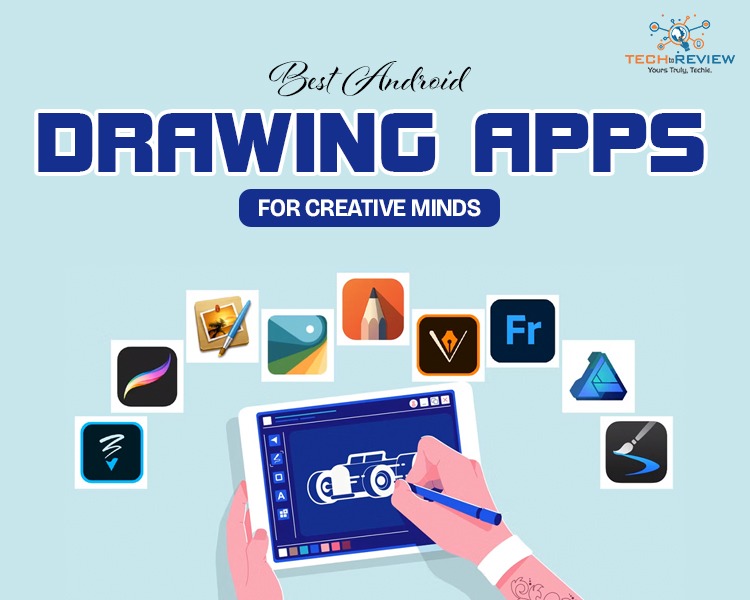
Got an idea in your head but don’t have a sketchbook handy? That’s where good drawing apps for Android come in.
Creative minds never stop working. You never know when inspiration will strike. Therefore, having the best Android sketch app is a must for art lovers. Whether it’s a quick doodle, a detailed illustration, or a random late-night concept, the best Android sketch app lets you capture your creativity anytime, anywhere.
The best part is you don’t need to be a professional artist to enjoy these good drawing apps for Android. Some of these are designed for beginners too, with simple tools, easy controls, and fun features.
Are you curious to explore these Android best drawing apps? First, understand what makes these drawing apps worth considering.
What Makes a Good Drawing App?
Not every app is created equally. Some are smooth and beginner-friendly, but many can feel complicated and overwhelming. Altogether, the best free art apps should feel easy to use and enjoyable, even for someone just starting out. If it isn’t so, what’s the point of being involved in your favourite thing?
Now, delve into the factors to consider when exploring good drawing apps for Android.
- Clean and clear interface
- Wide variety of brush styles like pencils, markers, watercolour effects, and paint brushes
- Pressure sensitivity and stylus support
- High-end performance
- Easy export option
- Autosave
- Layer support
- Customisable tools
In the end, the good drawing apps for Android are the ones that keep creating. It should feel fun, comfortable, and inspiring every time you open it.
Best Free Art Apps for Beginners and Pros
Based on the above factors, we have shortlisted the following best free drawing apps. Let's find out how they allow you to enjoy the art.
1- ibis Paint X
It is one of the most popular Android best drawing apps among beginners and digital artists. Its huge collection of brushes allows you to be more creative. The interface feels simple enough for new users, but it also includes advanced features that meet professional artists’ requirements.
Why Should You Choose?
- Large library of brushes and tools
- Layer support for detailed artwork
- Screen recording while drawing
- Smooth stylus support
2- Sketchbook
In the list of good drawing apps for Android, the next most appreciated name is Sketchbook. It gives you a natural drawing experience that feels so close to sketching on paper. The app works great for casual practice sessions, detailed illustrations and quick concepts.
Why Should You Choose?
- User-friendly interface
- Professional-quality brushes
- Full-screen drawing options
- Smooth pencil and ink tools
3- MediBang Paint
Do you love comics or manga-style artwork? Then, MediBang Paint is for you. It comes with comic templates, fonts, cloud storage and plenty of brushes. Among the best free art apps, MediBang Paint is lightweight, beginner-friendly and works smoothly even on basic devices.
Why Should You Choose?
- Comic and manga templates
- Free fonts and backgrounds
- Smooth performance
- Multi-brush options
4- Krita
One of the good drawing apps for Android is Krita, which is often considered for professionals. Despite being free, the app is packed with advanced tools for painting, shading, and illustration work. However, beginners can also use this app if they are eager to learn.
Why Should You Choose?
- Customisable brush system
- Layer management features
- Advanced painting engine
- Animation support
- HDR painting tool
5- Infinite Painter
As the name suggests, the app allows artists to create unlimited art. It gives a premium-like experience without making things overly complicated. Whether you’re a professional artist or a casual painter, Infinite Painter is one of the good drawing apps for Android users.
Why Should You Choose?
- Realistic paint and brush effects
- Perspective and symmetry tools
- Custom paint brush
- Time-lapse recording
6- Adobe Fresco
If there is a best Android sketch app that combines advanced tools and simplicity, it is Adobe Fresco. Live brush and watercolour effects stand out among good drawing apps for Android. It makes digital art more realistic and creative. Interesting for beginners. They can start with it easily, while professionals can use it for polished artwork and design projects.
Why Should You Choose?
- Live watercolour and oil brushes
- Touch and stylus support
- Vector and raster drawing tools
- Adobe Creative Cloud integration
7- Picsart Colour Paint
This app is perfect for you if you have never tried digital art and just want to explore it. It comes with a simple interface. Customisable brushes, layers and colour tools make it perfect for creative experiments and casual drawing sessions.
Why Should You Choose?
- Easy-to-use interface
- Layer support
- Custom brush settings
- Colour mixer and palette tools
- Symmetrical drawing features
With so many options, are you confused about which drawing apps are good? We help you choose the good drawing apps for Android devices.
Consider your style, comfort, and creative needs. If you’re a beginner, a simple drawing app with essential tools is enough for you, whereas professionals can consider advanced apps for high-level creativity.
So now, don’t wait for a sketchbook to capture your creativity. Just take out your Android phone and start painting anywhere you want.
About author

Budget Gaming PC: The Smart Gamer’s Guide to Saving Money

Looking for a budget gaming PC? Learn how to choose the right GPU, CPU, RAM, storage, PSU, and cooling without overspending.
Why Is My Cell Phone Getting Hot? Learn the Quick Fixes

Wondering why is my cell phone getting hot? Discover the hidden triggers behind your device overheating and learn quick, safe tricks to cool it down fast.
How to Make Your Laptop Run Faster: Easy Ways to Speed Up

Is your laptop slow or freezing? Learn easy ways of How to make your laptop run faster, from clearing files and updating software to upgrading RAM and SSD.
Why Responsible IT Asset Disposition Matters in the Age of Constant Upgrades

Discover why responsible IT asset disposition matters in an upgrade-driven world, helping businesses protect data, reduce waste, and recover asset value.
3:2 vs 16:9: Which Aspect Ratio Should You Choose

Wondering about 3:2 vs 16:9 aspect ratios? Learn the key differences, best use cases, and limitations to pick the right one for your shots.
Fujifilm X100T Review: Real-World Quirks No One Talks About
Discover real-world Fujifilm X100T quirks no one talks about. Learn the truth about battery life, macro parallax errors, and ND filters.