
Learn How to Set Shutter Speed on Canon Cameras Easily
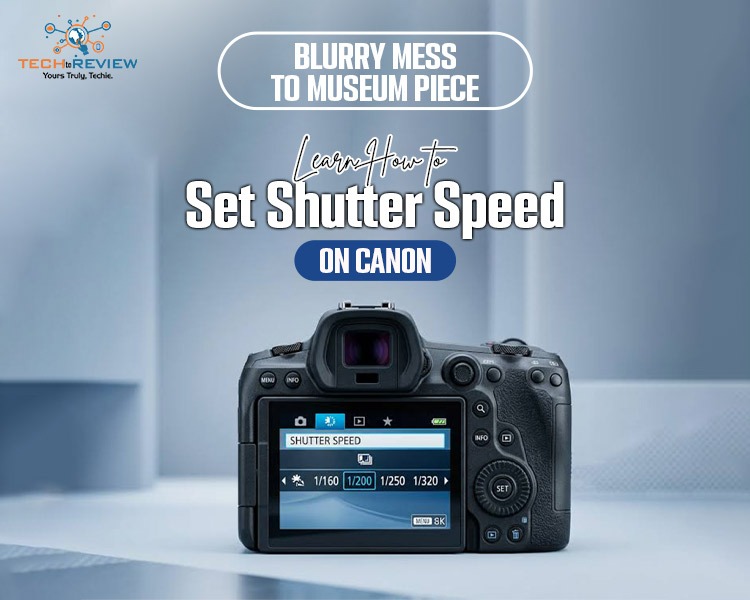
You witnessed a beautiful moment and picked up your camera to capture it, but guess what? It gets ruined. Well, this happens most of the time in most cases, and you regret it because you cannot capture the moment again, because it's gone. The secret to capturing a perfect moment lies in learning how to set shutter speed on Canon cameras.
In this guide, we’ll find out how to adjust shutter speed on Canon cameras so your photo won't get ruined in a hurry. Whether you want to capture a sports event or vehicles moving on the streets. Adjusting these settings can improve the image quality from a blurred photo to a piece of art worth keeping in a museum.
Let's dive into the mechanics of time and motion so you can unlock the full potential of your gear.
What is Shutter Speed?
Fundamentally, the shutter speed refers to the duration for which light is allowed to strike the camera’s digital sensor. There is an internal mechanical curtain placed in front of the camera’s sensor in a Canon camera body. When you press the shutter button, this curtain opens and closes after exposing the digital sensor to light.
The shutter speed can be in seconds or in fractions of a second:
- Fast shutter speed: It is denoted in fractions such as 1/500, 1/2000, and 1/8000 seconds. Light is exposed for a very brief period of time.
- Slow shutter speed: It is denoted in whole numbers such as 1", 2", and 30". The curtain remains open to collect light for some time.
How Shutter Speed Affects Your Photos
Your shutter speed impacts your final image in two major ways: motion and exposure. Here’s a complete differentiation:
1.Controlling Motion Blur vs Freezing Action
When you select an extremely fast shutter speed such as 1/1000th of a second, you divide time into fractions and freeze objects in motion. This works well for athletes, animals, or splashing water. However, when you select an extremely slow shutter speed like 2 seconds, any moving object becomes a blur on purpose.
2.Managing Exposure and Light
The shutter controls the period in which light is let into the camera and, in turn, influences the brightness of the photograph. A slow shutter lets more light enter the camera, making it suitable for use at night. In contrast, the fast shutter does not allow much light into the camera.
Camera Modes That Allow Shutter Speed Adjustment
You will not be able to alter your timing settings if your camera is locked in “full green Auto” mode. Here’s how to set shutter speed on Canon once you’ve switched your top mode dial to any of these creative zones:
- Manual Mode (M): You have total control over your shutter speed, aperture, and ISO settings.
- Time Value Mode (TV): TV is the abbreviation for time value. This setting lets you choose the shutter speed while the camera selects the aperture.
- Program Mode (P): With program mode, you can make slight adjustments to your exposure and timing.
How to Set Shutter Speed on Canon Cameras
It will depend on what kind of camera you are using to take pictures, be it DSLR or Mirrorless, but the basic process is consistent throughout the Canon family. Here is how to change shutter speed on Canon:
Step 1: Select TV/Modes
Switch your camera on and turn the main physical dial to either TV (shutter priority) or M (manual). TV is highly advised for beginners.
Step 2: Locate the Primary Control Dial
The primary control dial can be located at the top of your camera, right behind the shutter button, in almost all Canon cameras.
Step 3: Set Your Speed
Check through the camera’s viewfinder or its LCD screen. Move the dial in whichever direction you like; in most cameras, moving it clockwise increases your shutter speed (e.g., 1/500s), while moving it counterclockwise decreases it (1/30s).
Step 4: Select Speed Adjustment from the Quick Control Screen (Mirrorless Cameras Only)
To adjust the shutter speed settings in current Canon mirrorless cameras such as the R50 and R10 series, you would need to press the Q button on the back of the camera and then select the speed setting using the touch screen.
You Might Also Like- Mirrorless vs DSLR Camera: Which One Should You Choose?
Master Your Canon Settings to Capture Perfect Motion
Figuring out how to set shutter speed on Canon gear is certainly one of the biggest milestones in a photographer's development. When you learn to leave behind the automatic settings and take control of your exposure time, a completely new range of visual storytelling possibilities becomes available to you. Grab your camera, switch it to TV mode and start experimenting with different speeds in your backyard today.
Frequently Asked Questions
What is the shutter speed on Canon?
Shutter speed means the time period during which light is allowed to hit your Canon camera sensor. Shutter speed is either in seconds or a fraction of a second (1/250).
How to use shutter speed in a camera?
To control shutter speed in your camera, change the setting to manual (M) or shutter priority mode (S/TV). Turn the command dial.
How do I know which shutter speed to use?
It depends on the speed of your subject and the available light. You should select a shutter speed like 1/1000 sec or even more if your object is moving very fast.
What is fast shutter speed in photography?
When you use a fast shutter speed, e.g., 1/1000 sec, your camera's shutter will remain open only for a moment to freeze a fast-moving object, like a racing motorcycle rider.
What shutter speed is 5 seconds?
A five-second shutter speed means light hits your camera's sensor for five seconds.
About author

Budget Gaming PC: The Smart Gamer’s Guide to Saving Money

Looking for a budget gaming PC? Learn how to choose the right GPU, CPU, RAM, storage, PSU, and cooling without overspending.
Why Is My Cell Phone Getting Hot? Learn the Quick Fixes

Wondering why is my cell phone getting hot? Discover the hidden triggers behind your device overheating and learn quick, safe tricks to cool it down fast.
How to Make Your Laptop Run Faster: Easy Ways to Speed Up

Is your laptop slow or freezing? Learn easy ways of How to make your laptop run faster, from clearing files and updating software to upgrading RAM and SSD.
Why Responsible IT Asset Disposition Matters in the Age of Constant Upgrades

Discover why responsible IT asset disposition matters in an upgrade-driven world, helping businesses protect data, reduce waste, and recover asset value.
3:2 vs 16:9: Which Aspect Ratio Should You Choose

Wondering about 3:2 vs 16:9 aspect ratios? Learn the key differences, best use cases, and limitations to pick the right one for your shots.
Fujifilm X100T Review: Real-World Quirks No One Talks About

Discover real-world Fujifilm X100T quirks no one talks about. Learn the truth about battery life, macro parallax errors, and ND filters.