
Blue Patch on Mobile Screen: Here’s the Causes and Fixes
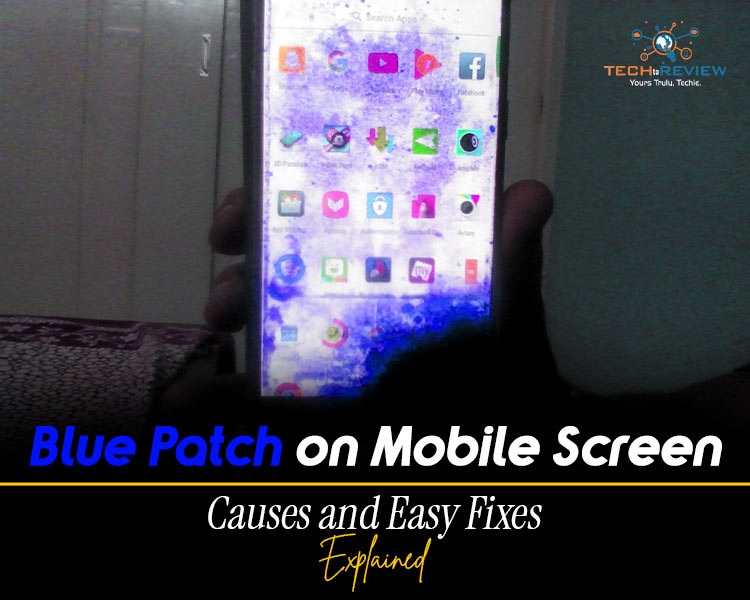
Ever noticed a weird blue patch on mobile screen and thought what’s that? With laptops and mobiles, it's common. That sudden bluish tint can feel alarming, especially when you have spent a good time with your phone. However, not every blue spot on mobile screen means it is unrepairable
Sometimes it can be a technical glitch or physical damage. Before discarding your phone or taking it to a technician, you need to understand what the problem is and why it happened. Maybe it's too small to resolve at home.
Let’s break it down in a simple, no-tech jargon way so you can figure out what’s going on and what exactly you can do about it.
What Does Blue Patch on Mobile Screen Look Like?
It is very important to understand how to fix the blue patch on mobile screen.
A blue spot on mobile screen usually appears as a faint or sometimes bright bluish area that doesn’t go away, no matter which app you open. It looks like a smudge, a glowing spot or even a shadow.
Now, the thing is, the issue can be permanent or temporary based on the cause. Figuring out the cause can help you know the type of problem you’re facing and how to fix it.
Common Causes of Blue Spot on Mobile Screen
Here are the reasons for a blue patch on mobile screen.
1- Screen Burn-In
If your phone has an OLED or AMOLED screen, this could be a culprit.
Burn-in happens when certain pixels are overused. Over time, those pixels degrade unevenly, leaving behind a discoloured patch.
2- Pressure Damage
Ever kept your phone in a tight pocket? Sat on it accidentally? Dropped something on it?
The upper screen may not be cracked, internal layers can get damaged, which can lead to a blue patch on mobile screen
3- Water or Moisture Damage
Water and electronics are never friends. Even a little moisture sneaking inside your phone can mess with the display layers. If your phone is exposed to water or moisture, you may see dark patches spreading slowly or a foggy or uneven display.
4- Display Pixel Damage
Sometimes individual pixels or clusters just fail. It happens due to manufacturing defects or long-term wear. When you see a blue patch on mobile screen, it may be a pixel damage due to which patches don’t behave normally.
5- Software Glitches
Sometimes the issue isn’t physical at all; it could be a permanent glitch caused by
- Buggy app
- System update issues
- GPU rendering problems.
How to Get Rid of a Blue Spot on the Screen?
Now it's time to move to solutions. Start with simple ones, assuming the worst.
1- Restart Your Mobile
Yes, restarting is the Universal solution to fix any technical glitch.
When you see a blue patch on mobile screen, restarting can temporarily fix the glitch.
2- Check in Safe Mode
Boot your phone in safe mode to see if a third-party app is causing the issue.
If the blue screen appears in safe mode, congratulations, it isn’t the phone, but rather an app problem.
3- Adjust Brightness and Display Settings
Simple tips can also fix display problems.
Try:
- Lowering brightness
- Turning off ‘Blue Light Filter’ or ‘Night Mode’
- Switching colour modes
Sometimes, display calibration gets messed up.
4- Use Pixel Fixer App
There are apps that are designed to refresh your screen.
But note that they do not always work. One thing is sure: they can resolve minor issues.
5- Update Your Software
Check for the update. Sometimes, brands often release upgrades that fix display bugs.
6- Factory Reset
If nothing works and you still suspect a blue patch on mobile screen, try a factory reset.
One thing to note is that you should back up your data first.
Seeing Blue Spot on Mobile Screen? Preventions
A little care can go a long way:
- Avoid keeping brightness at maximum for a long period
- Use dark mode if possible
- Don’t put pressure on your phone screen
- Use a good-quality protective case
- Don’t leave static images on screen for long
With such tips, you can also prevent black spot on computer moniter.
Blue Patch on Mobile Screen Has Solution
A blue patch on mobile screen may feel like a disaster, but it isn’t always.
It may be a software glitch that can be resolved in minutes.
It could be hardware damage that might be repaired, but at least you know exactly what you’re dealing with.
The only thing is you don't need to panic. Start with the simple; identify the problem and figure out whether it is something minor or major, and act accordingly.
And, yes. If your phone has survived enough and is exposed to heat or water, then a blue patch on the mobile screen is just another chapter in the story.
About author

3:2 vs 16:9: Which Aspect Ratio Should You Choose

Wondering about 3:2 vs 16:9 aspect ratios? Learn the key differences, best use cases, and limitations to pick the right one for your shots.
Fujifilm X100T Review: Real-World Quirks No One Talks About

Discover real-world Fujifilm X100T quirks no one talks about. Learn the truth about battery life, macro parallax errors, and ND filters.
Find the Absolute Best Streaming TV Service in 2026

Ditch expensive cable with confidence! Discover the 10 absolute best streaming TV services in 2026, from YouTube TV to Netflix, for your perfect setup.
Dolby Atmos Spatial Audio: 2026 Stats & Download Guide

Discover how to download Dolby Atmos music, explore Apple Music vs. Spotify spatial audio trends, and view 2026 market growth statistics.
Creating Seasonal Landscapes from Simple Prompts

A landscape photographer dreams of capturing the perfect autumn forest, golden light filtering through red leaves, the specific quality of fall that exists for only brief weeks.
Why The Venomous Abyss Turned Into a Nightmare for Everyday Raiders

While Liquid and Echo trade percentage points on Mythic Ula'tek, most of the player base is fighting a very different battle.