
How to Fix a Black Spot on Computer Monitor: 5 Easy Ways
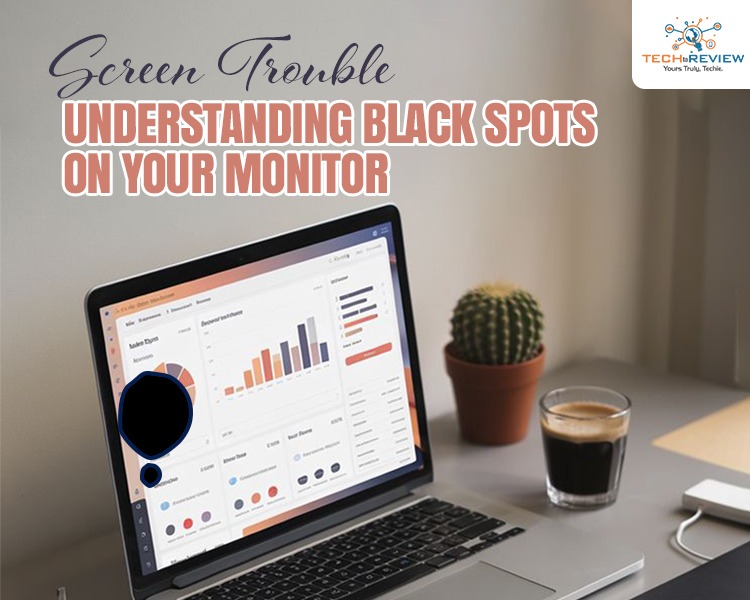
A black spot on computer monitor is common; anybody can face it anytime. Sometimes it is due to a manufacturing defect; other times, it is user-induced. However, it is annoying and sometimes heartbreaking, especially when caused by a drop, pressure or exposure to liquids.
When you see a black dot on monitor, don’t panic. Understand the issue and resolve the problem on your own. Here is a simple guide on a black spot on computer monitor, which can be a solution for you and your friend who struggle with a black spot on screen. Maybe you won’t need technician's help after reading this blog till the end.
Black Spot on Computer Monitor: Causes & Fixes
Whether you are working, watching videos or gaming, even a small dark patch can create a distraction. While it is not a sign of any critical failure, understanding the causes and possible fixes you can handle the issue immediately, without professional assistance.
Causes
You might see a black spot on computer monitor for several reasons. One common reason is dead pixels. Pixels are the tiny elements that form images on the screen. When one stops working, it appears as a block dot. Similarly, stuck pixels may appear if the display is not displaying colours correctly.
Besides these, another major factor behind the black spot on your laptop screen is physical damage. Applying too much pressure on the screen, accidentally dropping the monitor/laptop, or even a mobile phone or a manufacturing defect can damage the internal layer of the screen, resulting in black patches. And let us tell you that this kind of damage is usually permanent.
You may wonder, but yes, dust and debris can also cause display issues. If it accumulates inside the screen, the dust can create an illusion of a black spot on computer monitor.
Hmmmm..thinking…..What else can cause a black spot on your laptop screen? Moisture and liquid exposure. This is surprising, but these two can extremely damage your screen. It can cause internal components to appear dark.
Now that you understand the possible causes of the black spot on your laptop screen, it’s time to learn how to identify and troubleshoot the issue.
How to Identify the Black Spot on Computer Monitor?
Now it is necessary to confirm whether it is a black spot or something else on your screen.
- Check Position Stability: If the spot is fixed at one place, it is likely an issue, maybe hardware.
- Change Background Colours: Switch between black & white colour screens to see how the spot behaves.
- Connect to Another CPU: It will help you determine whether the issue is with the monitor or the computer.
- Take a Screenshot: If the black spot on screen doesn’t appear in the screenshot, the problem is with the screen/monitor.
- Clean the Screen Surface: It ensures that the black spot isn’t just dust.
Fixes You Can Try to Troubleshoot Black Spot
There are a few simple methods you can try to fix the black spot on computer monitor.
1. Clean the Surface With Soft Cloth
Sometimes, the problem isn’t with software; it is just a black spot on the screen surface that can be removed by cleaning with a soft cloth.
2. Apply Pixel Fixing Pressure
If there is a pixel issue, not a dead one, you can try the pressure method. Use a marker to mark the black spot on computer monitor, shut your system, and place a soft cloth over the spot and apply slight pressure with your fingertip. This might help in some cases.
3. Try a Pixel Fixing Tool
Several software tools are available online. These tools run for 10-30 minutes and may restore certain unresponsive spots on the screen, including the black spot on computer monitor.
4. Seek Professional Help
If the above methods could not help you, consult a technician. They will identify the issue and replace the screen if needed, especially in case of dead or stuck pixels.
Related Blog: How to Repair Windows 10
Stop Doing Such Things To Prevent Black Spot on Your Laptop Screen
You can literally save your system from damage by taking precautions. All you need to do is-
- Avoid applying pressure on the screen.
- Clean the screen regularly but gently.
- Always carry your monitor or laptop carefully.
- Use a screen guard to protect your screen.
- Avoid exposure to heat, sunlight and water.
See, electrical gadgets are too delicate. You need to be very careful and polite with them if you want them to run for a long time. With proper care and precautions, you can not only prevent issues like the black spot on computer monitor but also extend your device’s lifespan. In simple terms, a little attention today can save you from bigger problems and costly replacements tomorrow.
Frequently Asked Questions
Are the black spots on the screen permanent?
If black spots outside the screen are caused by dirt, they can be cleared. If they are due to hardware damage, such as dead pixels or pressure-induced broken liquid crystals, they are generally permanent. Check with the technician for the fixes.
Are the black spots covered under warranty?
Black spots are not covered under warranty if they result from physical damage, such as a drop, pressure, or exposure to liquids, as they are considered user-induced. However, if the black spot on the laptop screen is due to a manufacturer's defect, it might be covered under warranty.
Do black spots on screen get bigger over time?
Yes, a black spot on computer monitor that is usually caused by physical impact increases over time.
Can a black spot affect the overall screen?
Yes, the black spot that seems minor initially can affect the overall screen and performance over time.
Is it safe to keep a screen with a black spot?
While the black spot on computer screen does not cause any major damage, such as a software issue or a decrease in the lifespan of the monitor, the spot is likely to spread over time, rendering the screen unusable. It is advised to fix it immediately.
About author

Rangefinder Digital Cameras: Benefits and Limitations

Discover what a rangefinder in digital camera is, how its focusing works, its advantages and limitations, and why photographers love it for street photography.
Why Phone Storage Gets Full Even If You Barely Install Anything

Discover why your phone storage fills up without installing apps. Learn how cached files, photos, hidden downloads, and system data consume space.
Top 5 Entry-Level DSLR Camera Picks to Buy in 2026

Looking for a great beginner camera? Discover the top 5 entry-level DSLR cameras to buy in 2026, featuring the best budget, travel, and video choices.
Best LED Black Friday TV Deals: Your TV Shopping Guide

Discover the best LED Black Friday TV deals for 2026: when sales start, how much you can save on LED, QLED, and OLED TVs, plus tips to spot fake discounts.
Portable Bluetooth Speaker: Best Picks for Your Travel Bag

Looking for a portable Bluetooth speaker for travel? Check out 5 easy-to-carry options with different sound, battery, and durability features.
Budget Gaming PC: The Smart Gamer’s Guide to Saving Money

Looking for a budget gaming PC? Learn how to choose the right GPU, CPU, RAM, storage, PSU, and cooling without overspending.