
Is Adobe Bridge Easy? A Simple Guide For Beginners
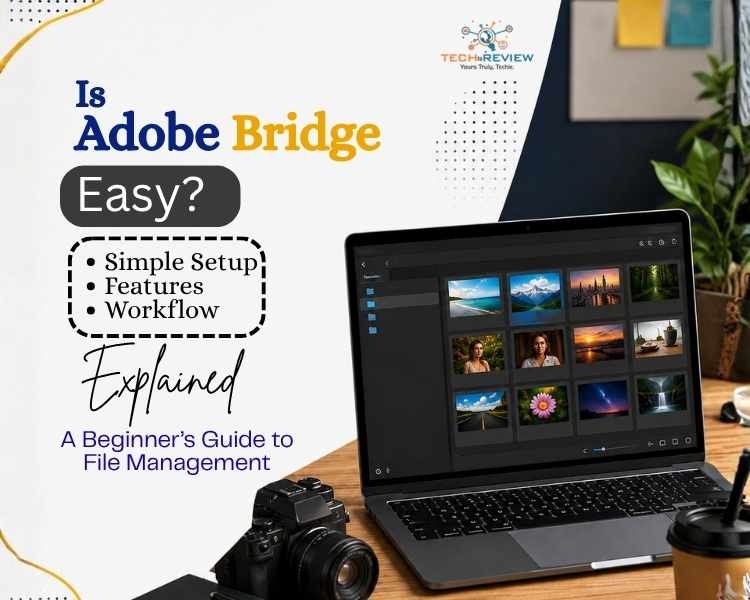
Interested in learning Adobe Bridge, but scared it might be a complicated setup? You are not alone. The tool is designed to help users organise, browse, and manage digital files while skipping the complexity of advanced editing software. Unlike your traditional tools like Photoshop or Illustrator, Adobe Bridge focuses on file management rather than content creation. If you are a photographer handling thousands of images or a designer managing creative assets, then this tool provides a centralised workspace. This way, you can access everything from a unified platform. Now that you have a basic understanding of it, the next question on your mind, surely, is
“Is Adobe Bridge easy to use?”
Stick around till the end to find out the answer. In this beginner-friendly guide, let’s explore how it works, how long it takes to learn, and whether it's worth adding to your creative toolkit.
Why Do People Use Adobe Bridge?
It is a file management and digital asset organisation tool built by Adobe. In simple terms, the tool acts as a smart digital filing cabinet that keeps all your photos, videos, PDFs, and design assets organised in one place. Instead of jumping between folders and manually searching for files, it gives you a central dashboard where you can:
- Browse files visually
- Organise projects more efficiently
- Preview images, videos, and PDFs instantly
- Add keywords and ratings
- Rename hundreds of files at once
- Open assets directly in Photoshop and other Adobe applications
Additionally, the software can integrate seamlessly with Adobe Photoshop, Illustrator, and InDesign. This makes it particularly useful for creative professionals such as designers, content creators, and marketers
Is Adobe Bridge Easy for Beginners?
When searching for “Is Adobe Bridge easy?”, most beginners are surprised to find out that its interface is intuitive. One of the biggest reasons is that it uses a familiar folder-based navigation system similar to Windows File Explorer or macOS Finder. Other than this, there are several other features which make Adobe Bridge easy to use. These include:
- Familiar folder-based navigation
- Simple drag-and-drop functionality
- Large visual previews of files
- Easy search and filtering options
- No advanced editing knowledge required
That is why users searching for Adobe Bridge, even beginners, quickly discover that very little technical knowledge is required to get started. Though this doesn’t mean the user doesn’t face challenges while using this application, especially with advanced features, which take time to learn. These are Metadata management, Batch processing workflow, Keyword tagging systems and Workflow automation tools. Yet, thankfully, these features are optional and can be later explored as your experience grows.
How to Use Adobe Bridge: Step-by-Step Guide
The answer to the question, “ Is Adobe Bridge easy?” becomes simpler once you know how to use it.
Step 1: Complete an Adobe Bridge Download
The first step is to download Adobe Bridge from Adobe's official website. Installation is quick and straightforward with no additional cost. This allows you to start organising files within minutes.
If you are still confused about “Is Adobe Bridge free?”, the answer is yes. You will be pleased to learn that the Adobe Bridge download doesn't require a separate purchase.
Step 2: Browse Your Files and Folders
After installation, the tool allows you to navigate folders and preview files without opening them individually.
This is one of the biggest reasons why many users feel that Adobe Bridge is easy to use compared to other similar solutions.
Step 3: Organise Assets Using Collections
It allows you to create collections that group related assets together. This action is performed without moving a single original file. A few examples for this are Wedding Photography Projects, Client Branding Assets, Marketing Campaign Graphics and Product Launch Content. This keeps your workflow organised and reduces time spent searching for files.
Step 4: Add Ratings, Labels, and Keywords
You can also assign Star ratings, Colour labels or Custom keywords. This makes searching and filtering assets much easier. Especially if you work on larger projects regularly
Step 5: Rename Multiple Files at Once
The tool includes a powerful batch renaming tool. This way, rather than renaming files individually, users can update dozens of files simultaneously.
Step 6: Preview and Compare Files
Compare multiple images side by side before selecting the best version. This saves time and improves workflow efficiency.
Step 7: Open Files Directly in Adobe Applications
If you've ever wondered, “Do I need Adobe Bridge for Photoshop?”, the answer is no, but it can make your workflow much smoother. This allows you to locate and open files directly in Photoshop, Illustrator, or InDesign without manually searching through folders.
Key Features That Make Adobe Bridge Easy to Use
One reason many users say Adobe Bridge is easy is because of its practical feature set.
File Organisation
Adobe Bridge excels at organising large numbers of files. Users can:
- Create collections
- Sort by categories
- Apply color labels
- Use keyword tagging
This makes asset management significantly easier for photographers, agencies, and marketing teams.
Image Preview and Selection
Instead of opening every file individually, the tool displays large previews directly within the interface. This allows users to:
- Compare multiple images
- Select the best versions
- Review assets quickly
Batch Renaming
The feature is especially valuable for professionals working with large image libraries.
Metadata Management
Users can add and edit:
- Copyright information
- Keywords
- Author details
- Usage rights
This feature improves organisation and asset tracking, which perfectly answers your question, “Is Adobe Bridge Easy?”. Yes, Absolutely!
Adobe Bridge vs Lightroom: Which Is Easier?
The debate around Adobe Bridge vs Lightroom is common among photographers and designers.
When comparing Adobe Bridge vs Lightroom, the former is generally easier because it uses a traditional folder system. This doesn’t mean Lightroom is not a powerful editing tool. It's just that it requires users to learn catalogue management.
Final Verdict: Is Adobe Bridge Easy?
After reviewing the tool, you must have gained clarity on the question is Adobe Bridge easy. The tool's familiar folder-based structure, visual previews, and straightforward navigation make it one of the most accessible tools in the Adobe ecosystem. Whether you're exploring Adobe Bridge for the first time, the platform remains highly approachable. Generally, users can learn the basics within a few hours and begin organising their digital assets immediately.
FAQs
Is Adobe Bridge easy to use?
Yes. Adobe Bridge is easy to use, and most beginners find the software intuitive because of its folder-based navigation and visual interface.
Is Adobe Bridge easy for beginners?
Absolutely. Most learners can understand the basics within a few hours.
Is Adobe Bridge free?
Yes. If you are wondering, “Is Adobe Bridge free?”, then the tool offers the software as a free download.
About author

Portable Bluetooth Speaker: Best Picks for Your Travel Bag

Looking for a portable Bluetooth speaker for travel? Check out 5 easy-to-carry options with different sound, battery, and durability features.
Budget Gaming PC: The Smart Gamer’s Guide to Saving Money

Looking for a budget gaming PC? Learn how to choose the right GPU, CPU, RAM, storage, PSU, and cooling without overspending.
Why Is My Cell Phone Getting Hot? Learn the Quick Fixes

Wondering why is my cell phone getting hot? Discover the hidden triggers behind your device overheating and learn quick, safe tricks to cool it down fast.
How to Make Your Laptop Run Faster: Easy Ways to Speed Up

Is your laptop slow or freezing? Learn easy ways of How to make your laptop run faster, from clearing files and updating software to upgrading RAM and SSD.
Why Responsible IT Asset Disposition Matters in the Age of Constant Upgrades

Discover why responsible IT asset disposition matters in an upgrade-driven world, helping businesses protect data, reduce waste, and recover asset value.
3:2 vs 16:9: Which Aspect Ratio Should You Choose

Wondering about 3:2 vs 16:9 aspect ratios? Learn the key differences, best use cases, and limitations to pick the right one for your shots.