
How To Switch Between Apps Quickly On Android Smartphone
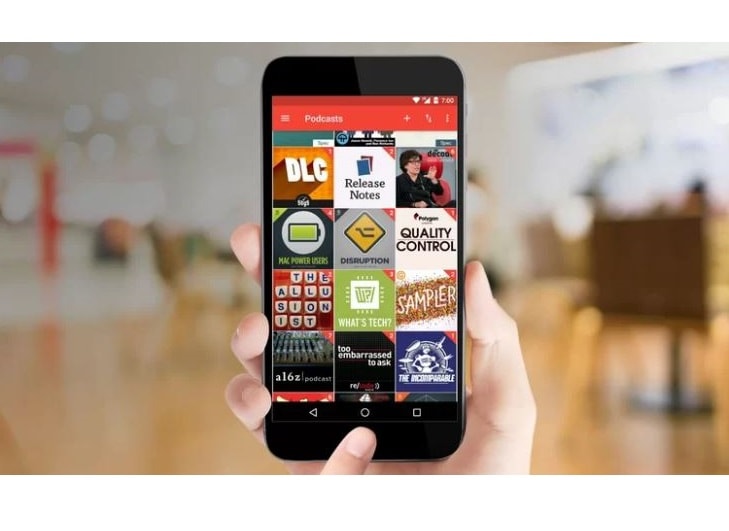
Android Smartphones offers some excellent multitasking prowess with recent high-end flagships packing 4-6 gigabyte of RAM. The multitasking interface looks amazing but switching apps is not very faster. While a type of Android called Nougat solves that kind of problems with Alt+Tab like Quick Switch Apps by double tapping on multitasking button. Everyone will not get the Nougat update for quite some time.
Switch between Your Last Apps with App Switcher:
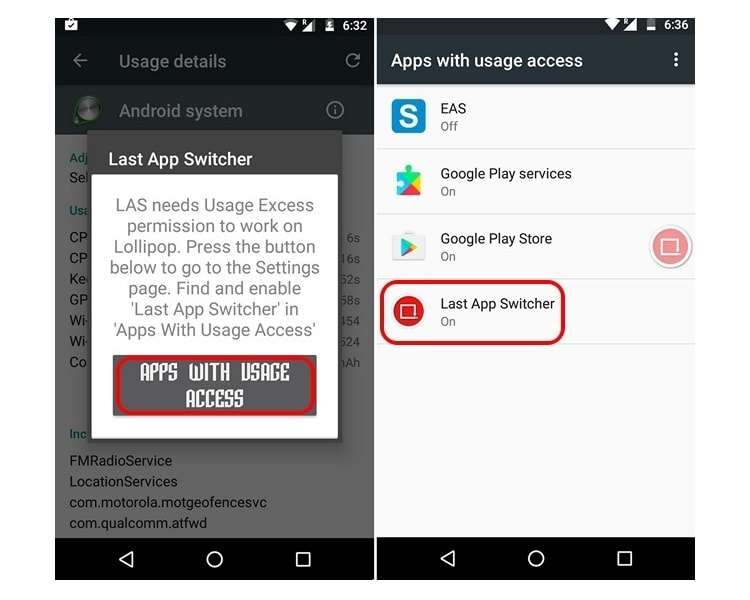
1. To switch between your current and last app, you have to use the Switcher App with a single tap which is free of cost. After the installation of the app, you will have to give the app usage access. Your work is just to click on “Apps with usage access” button. Then you will get an option called “Last App Switcher”, enable it quickly.

2. Now, Last App Switcher’s floating icon will be shown to you. It can help you to go to the last app and click to the switch back again. This app used to do work out of the box. Now, you can able to close the floating button by hitting on close in LAS’ notification.

3. You can select the color, transparency, and size of the floating option. Then you can move it around to put it anywhere. There may exist many options to fix the icon at a single place, disable or enable LAS’ persistent notification (it may cause damage to the app on some devices), run at start-up, disable or enable hap tic feedback and many more.
Switch between Different Apps with Easy App Switcher:
1. If you want to switch between multiple apps with the help of Multitasking App Apk, then you can use the Switcher App which is also free of cost. It brings the best of both the worlds. It means you can use the app to switch to the last app or you can use it to switch to any of your favorite apps.
.jpg)
2. Unlike LAS, you have to give the app usage access after installation of the app. You can use different actions for the app like “Show Floating Icon” or “Show Previous App”. If you want to use it for multiple apps, you can also use the required icons such as, back or open the recent / multitasking screen, or home screen etc.
.jpg)
3. If you want to switch to multiple apps, you can just go to the apps and select “Add Favorite Apps”. Once adding of your favorite app is done, you have to jump to them with ease just by hitting on the floating icon.
.jpg)
4. The floating panel feature has 2 sections. The first one is for the recent apps and the second one is for your favorite apps. You can merge them by going to “Advanced Settings” and check “Merge App Icons”.

5. There are many options included in this particular app. The other options involve the ability to customize the floating icons, fix position of the icons, panel and many more. Finally, the app brings its own app drawer through which you can check out by tapping the EAS icon in the floating panel.
Read More Article: YouTube videos not playing on Android
About author

Best LED Black Friday TV Deals: Your TV Shopping Guide

Discover the best LED Black Friday TV deals for 2026: when sales start, how much you can save on LED, QLED, and OLED TVs, plus tips to spot fake discounts.
Portable Bluetooth Speaker: Best Picks for Your Travel Bag

Looking for a portable Bluetooth speaker for travel? Check out 5 easy-to-carry options with different sound, battery, and durability features.
Budget Gaming PC: The Smart Gamer’s Guide to Saving Money

Looking for a budget gaming PC? Learn how to choose the right GPU, CPU, RAM, storage, PSU, and cooling without overspending.
Why Is My Cell Phone Getting Hot? Learn the Quick Fixes

Wondering why is my cell phone getting hot? Discover the hidden triggers behind your device overheating and learn quick, safe tricks to cool it down fast.
How to Make Your Laptop Run Faster: Easy Ways to Speed Up

Is your laptop slow or freezing? Learn easy ways of How to make your laptop run faster, from clearing files and updating software to upgrading RAM and SSD.
Why Responsible IT Asset Disposition Matters in the Age of Constant Upgrades

Discover why responsible IT asset disposition matters in an upgrade-driven world, helping businesses protect data, reduce waste, and recover asset value.