
How to Unsilence Unknown Calls on iPhone: An Easy Guide
Missing important calls can be annoying, especially when the iPhone appears to be functioning properly, but just does not ring. Whether it's a job opportunity, a loved one, or a delivery service, it's cruciall to ensure that unknown numbers can get through. Knowing how to unsilence unknown calls on iPhone can save a lot of disappointing missed connections. Luckily, the steps to unsilencing unknown calls are fairly simple to do after reviewing a few settings.
This article provides a clear explanation of how to unsilence unknown calls on iPhone for both older and the latest generation.
1. Disable Silent Mode
One of the most common reasons for missed calls is the Silent Mode. On the left-hand side of every iPhone, there is a physical switch. If the orange strip is exposed, that indicates the Silent Mode is on. Simply switch the switch back, and your phone will ring again. That is a very simple first step for anyone who needs to figure out how to unsilence unknown calls on iPhone.
This is a quick and effective fix, especially if you're unsure how do I unsilence unknown calls on my iPhone using other settings.
2. Turn Off Silence Unknown Callers
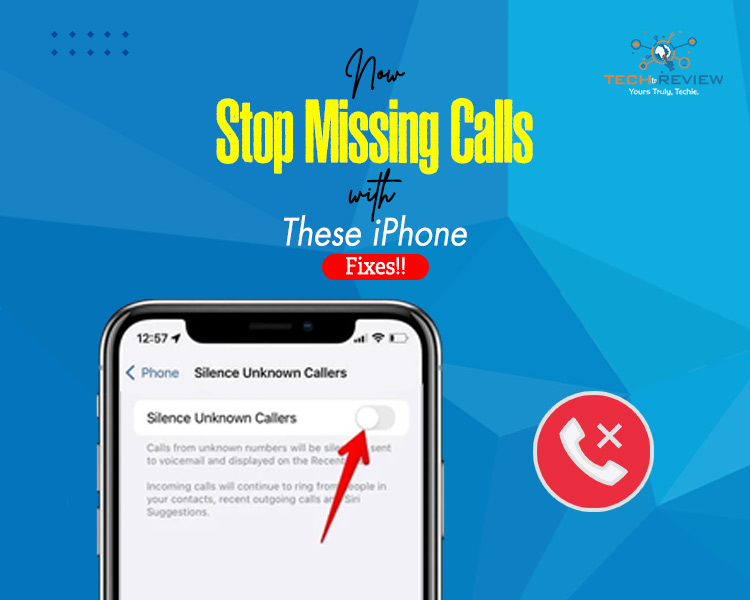
Beginning with iOS 13, iPhone users can enable a setting that silences calls from numbers not saved in the user’s contact list. While this may help block spam calls, it will also block legitimate calls. To turn this setting off:
- Open the Settings app
- Swipe and tap the Phone
- Tap Silence Unknown Callers
- Move the setting to off so it's grey
If you’re searching for how to unsilence spam calls on iPhone, this step is crucial, as it allows all numbers, known or not, to come through.
3. Disable Do Not Disturb or Focus Mode
If Do Not Disturb or another Focus mode is enabled, it will automatically mute calls. It is not uncommon for individuals to engage these modes accidentally.
To turn off Do Not Disturb or Focuse, you should know how to unsilence unknown calls on iPhone.
- Access Control Centre by swiping down from the top-right corner.
- Select the moon icon or any Focus profile that is active.
This method is helpful if you’re still wondering how do I unsilence unknown calls on my iPhone but can’t seem to find the problem in the usual settings.
4. Increase the Ringer Volume
A phone set to low volume may appear not to be ringing at all.
To avoid this,
- Open up Settings
- Select Sounds and Haptics
- Slide the Ringer and Alerts slider to the right
You can also allow the volume buttons to modify the ringer levels. This is another important aspect of looking at how to unsilence unknown calls on iPhone.
Also read: The Number You Have Dialed Has Calling Restrictions
5. Verify Bluetooth Devices
On occasion, calls may be transmitted through a connected Bluetooth device, and if that device is muted or left in another room, the ringtone may not be heard.
To verify this:
- Open the Control Centre
- Tap the Bluetooth icon to disconnect temporarily
This is often overlooked when people ask how to unsilence spam calls on iPhone, especially if the ringtone is being routed elsewhere.
6. Check Call Audio Routing Settings
The iPhone has an accessibility setting called Call Audio Routing. The setting controls where audio plays, even on telephone calls.
To reset it:
- Open Settings
- Tap Accessibility
- Tap Touch
- Select Call Audio Routing
- Choose Automatic
If you have incorrect call audio routing options, the audio will route incorrectly when trying to unsilence unknown calls on iPhone, affecting users with custom accessibility settings.
7. Turn off Sleep Focus or Scheduled Downtime
Sleep schedules or focus at bedtime can cause calls to be blocked during rest times.
To disable Sleep Focus, take these steps:
- Open the Health app
- Tap on Browse, then Sleep
- Tap on Full Schedule and Options
Significantly, you would want to toggle off Sleep Schedule or turn on at Bedtime
This setting often clarifies why calls are silent during specific periods, which is valuable information for anyone learning how to unsilence unknown calls on iPhone .
Frequently Asked Questions
Why are calls going straight to voicemail?
This usually happens when Focus mode, Do Not Disturb, or Silence Unknown Callers is enabled.
Will turning off Silence Unknown Callers lead to more spam?
It might. Consider using a spam filtering app or manually blocking spam numbers.
What if none of these steps work?
Ensure the phone is running the latest version of iOS by going to Settings > General> Software Update.
Can some unknown numbers be allowed through selectively?
There is no built-in feature for this, but apps like Truecaller can help manage unknown numbers.
Does this process work for all iPhone models?
Yes. However, some menus may differ slightly on newer devices, so it is helpful to understand how to unsilence unknown calls on iPhone separately.
About author

Samsung TV Not Connecting to WiFi? Get the Easy Fixes Here

Samsung TV not connecting to WiFi? Learn why it happens, try easy step-by-step fixes, and know what to do if nothing works. Fix & get back to streaming fast.
Rangefinder Digital Cameras: Benefits and Limitations

Discover what a rangefinder in digital camera is, how its focusing works, its advantages and limitations, and why photographers love it for street photography.
Why Phone Storage Gets Full Even If You Barely Install Anything

Discover why your phone storage fills up without installing apps. Learn how cached files, photos, hidden downloads, and system data consume space.
Top 5 Entry-Level DSLR Camera Picks to Buy in 2026

Looking for a great beginner camera? Discover the top 5 entry-level DSLR cameras to buy in 2026, featuring the best budget, travel, and video choices.
Best LED Black Friday TV Deals: Your TV Shopping Guide

Discover the best LED Black Friday TV deals for 2026: when sales start, how much you can save on LED, QLED, and OLED TVs, plus tips to spot fake discounts.
Portable Bluetooth Speaker: Best Picks for Your Travel Bag

Looking for a portable Bluetooth speaker for travel? Check out 5 easy-to-carry options with different sound, battery, and durability features.