
9 Best Android Apps From The Play Store

Android has always been fun to use due to its easy customization and various other cool features. Android Apps let you do a lot more with your Smartphone without wasting much of your time. The play store is filled with billions of Apps to choose from. As it can be hard to find the best Apps from the billion existing ones, we have made a list of the best Apps for Android which, will help you choose the best handful one.
In the past few weeks, we have experimented and used over a thousand Apps from the play store to find apps that are enormously versatile for android mobiles.
Snapseed
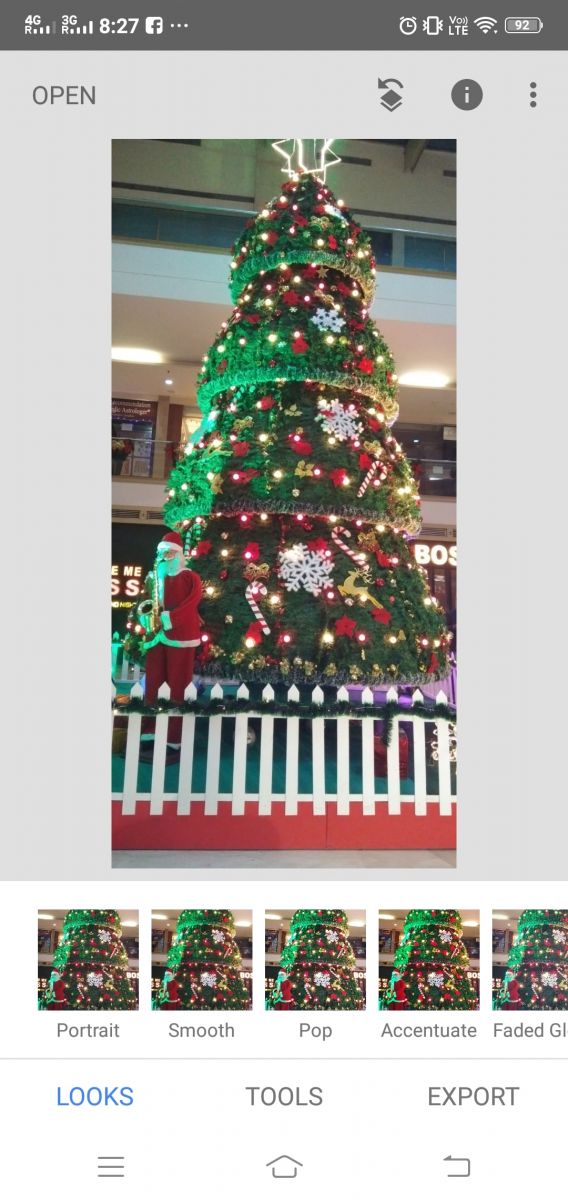
Adding filters to photos, editing them to look flawless is more of a typical trend today. Google’s Snapseed is one of the best photo editing apps you could find on Android. Snapseed is an amazing app if you are looking to add cool filters and effects to your images. You have full control over the exposure of all the filter. The tools tab in Snapseed is also quite useful as it lets you tune in details, crop, portrait, Double Exposure, etc. Changing the way your images look. While opening a whole new door for your creative mind.
Netflix

When you are looking for quality and ease of video streaming on an Android Smartphone, Netflix is hard to beat. It offers its users with a massive bundle of exclusive TV shows and movies ranging from different genres. The support of 4K video playback stream and save to watch later in the Smartphone version is also useful.
Evernote
(1).jpg)
Sometimes it’s just necessary to something for your important meeting, assignments, projects, etc. The Evernote App is the easiest way of keeping a list, taking notes, recording voice, managing your to-do list, etc. One of the best features is the OCR (optical character recognition), this detects texts and letters from an image document. With Evernote, you need not to worry about losing a business card, instead, you could take a snap of the card instead and have Evernote save all the critical information automatically.
Spotify
Spotify is a free/paid music streaming platform used by approximately 300 million users. Yeah, there are tons of other music streaming on the Play Store. But, Spotify’s organized/sorted tracks by Artists and Genre makes it the King. Soundcloud is another popular music streaming platform but, its library as not as organized.
Google drive
When talking about cloud storage, we get many service providers for that. But the most often used cloud storage has to be Google drive. Its flexibility across multi-platforms has added to its success. There is an app for Google Drive on the play store, a web-based application that syncs all data available in your Google account. You can store data and even edit and create power-point presentations on the go.
Comixology comics
Comixology is an excellent solution to soak in all the latest and endless list of comics. You can browse from a huge library of comics and see users rating. You do have to pay for their services, compared to other premium comics services I found Comixology to be much more affordable and richer in quality.
Facebook messenger
Facebook messenger is one of the most famous Instant Messaging App used across the world. Surprisingly, you can access Facebook Messenger just with just your phone number (just like WhatsApp- Learn some useful Whatsapp tips and tricks) and don’t need to have a Facebook account to get started. But as usual, users get tons of features like stickers, voice calling, video calling, direct messaging, sending payments to friends, etc. So, if you don’t happen to like having a Facebook account and just want to use the Facebook Messenger instead, you could try it out with your phone number.
LastPass
You can’t deny the fact that we humans are very bad at creating and remembering our passwords. But, LastPass is a password managing app that encrypts all your passwords in an uncrackable manner. You can tweak the app to automatically fill in certain forms and e-mail. The App also can choose a difficult password for you, with a desirable amount of characters.
NordVPN
Staying anonymous over the crowded internet is highly advised if you’re connecting on public Wi-Fi networks. As you don’t want some tracking you and having access to all of your private accounts and banking information. VPN is one of the most common methods of camouflaging oneself over a public network. If that's the case, then NordVPN should be your #1 choice to get anonymous using your Android.
About author

Best LED Black Friday TV Deals: Your TV Shopping Guide

Discover the best LED Black Friday TV deals for 2026: when sales start, how much you can save on LED, QLED, and OLED TVs, plus tips to spot fake discounts.
Portable Bluetooth Speaker: Best Picks for Your Travel Bag

Looking for a portable Bluetooth speaker for travel? Check out 5 easy-to-carry options with different sound, battery, and durability features.
Budget Gaming PC: The Smart Gamer’s Guide to Saving Money

Looking for a budget gaming PC? Learn how to choose the right GPU, CPU, RAM, storage, PSU, and cooling without overspending.
Why Is My Cell Phone Getting Hot? Learn the Quick Fixes

Wondering why is my cell phone getting hot? Discover the hidden triggers behind your device overheating and learn quick, safe tricks to cool it down fast.
How to Make Your Laptop Run Faster: Easy Ways to Speed Up

Is your laptop slow or freezing? Learn easy ways of How to make your laptop run faster, from clearing files and updating software to upgrading RAM and SSD.
Why Responsible IT Asset Disposition Matters in the Age of Constant Upgrades

Discover why responsible IT asset disposition matters in an upgrade-driven world, helping businesses protect data, reduce waste, and recover asset value.