
FILMIGO Video Maker And Editor : Review

FILMIGO Video Maker is the all new & easiest way to edit your photos along with music which make attractive videos. It is the trouble-free video tool/ slideshow maker/ photos/ attractive and stylish videos/vlog. FILMIGO Video Maker is the most entertaining App of 2018 awarded by Google Play! It makes a spark video combined with magic effects, amazing filters, popular themes, gif memes, special doodle, slideshow animation, gif stickers, hot music, everything with minimum operations.
FILMIGO Video Maker Features
Some features of this video creator and photo editor app are:
Professional Editing Device:
FILMIGO Video Maker offers you the best tools to quickly cut, merge, trim, reverse, twin, compress, convert your clips within few seconds. In this tool, video making and editing are very easy to compress and merge images from your gallery or album. Without losing quality image you get a perfect video like a professional video producer. It is very easy to resize the video, rotate in your own way and you can zoom in or out by your interest with the help of this video maker. It is super interesting device or app which is really very easy to maintain in your smart devices.
Monotonous Themes:
FILMIGO Video Maker has over 100 free themes. You need to tap only one single button to make awesome video with images and music instantly. It is easy to capture attention for more followers or likes on Social media by making your own videos which are eye-catching and attractive. And the plus point is that, you make your video on your own.
Different kinds of Music:
In this app, you can find thousands of songs which are fully licensed and you can choose the songs by your enthusiasm. You can add local music by your device too. To make your video popular, it is very necessary to add local music and extensive catalog. Moreover, you can record or add your own voice. Use the different sound effects to make the video amazing with FILMIGO free video software.
Creative Subtitles:
In this app, you find a variety of text styles and fonts of your choice which you want to use in your video. You can even scribble the video.
Hot Filters and Elegance Camera:
The best part in Movie Maker Online, it gives you the whole collection of stunning real-time filters to make your video unique. In this online maker, you will find the beauty camera which provides you the auto beautify to give your picture amazing effects. Very interesting filters and elegance camera you get here.
.jpg)
Adorable Stickers:
Also, you get various cute stickers which you will love to use like gif, emoji, gif memes theme, a gallery of huge stickers, and so on. In this app, the facial recognition makes you look more fantastic then you are. The animated stickers are also enjoyed by the users which is available in this app. So, it is very easy to create or edit your video with the help of FILMIGO Video App.
Accuracy:
You can use quick or slow motion to regulate and control the speed of video clips and pictures. It provides Video reserve and video playback function to make your video funny or original. You will see no ads or watermark in your video if you use FILMIGO video app for editing.
Video To Mp3:
You can even use this application for converting your video to Mp3 and turn the soundtrack of your video. It can easily change the voice of the video or slideshow to the voice of any person or robot.
Export:
FILMIGO Video Maker or editor transport the video without quality loss or duration time and provides 720/1080P HD. You never lost your video when it is not published, it automatically save the video to your draft or album at any time. Blurred background and voice enhancement features make the video and slideshow more engaging.
Contribution:
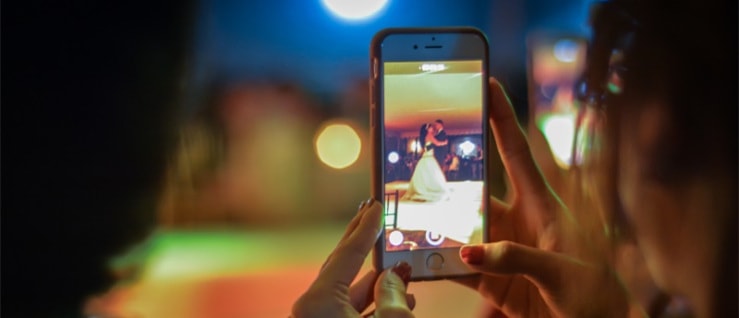
Square themes and no crop mode are customs built for Instagram users. You can easily share your videos on social media sites like Facebook, youtube, Instagram, Viva video, and your own interested app which you use. You can record your special moments by FILMIGO Video Maker like birthday, wedding, Valentine’s Day, Trip, etc. by making videos and capturing photos.
It’s fun to make videos with online video maker& video editor, video cutter, intro maker, music. By these features like texts, filter effects, gifs, huge stickers, various music, transitions, sound effects or live dubbing you can create video for your own and your loved ones. In your personalized way, you can make your clips as much creative as you want. Try free movie maker and give your suggestions and share your experience with us. We strive to give you Video maker reviews at one place so that you can go through the all specifications and enjoy the app without any hassles.
FILMIGO Video Maker will always be updated for all the users!
About author

Portable Bluetooth Speaker: Best Picks for Your Travel Bag

Looking for a portable Bluetooth speaker for travel? Check out 5 easy-to-carry options with different sound, battery, and durability features.
Budget Gaming PC: The Smart Gamer’s Guide to Saving Money

Looking for a budget gaming PC? Learn how to choose the right GPU, CPU, RAM, storage, PSU, and cooling without overspending.
Why Is My Cell Phone Getting Hot? Learn the Quick Fixes

Wondering why is my cell phone getting hot? Discover the hidden triggers behind your device overheating and learn quick, safe tricks to cool it down fast.
How to Make Your Laptop Run Faster: Easy Ways to Speed Up

Is your laptop slow or freezing? Learn easy ways of How to make your laptop run faster, from clearing files and updating software to upgrading RAM and SSD.
Why Responsible IT Asset Disposition Matters in the Age of Constant Upgrades

Discover why responsible IT asset disposition matters in an upgrade-driven world, helping businesses protect data, reduce waste, and recover asset value.
3:2 vs 16:9: Which Aspect Ratio Should You Choose

Wondering about 3:2 vs 16:9 aspect ratios? Learn the key differences, best use cases, and limitations to pick the right one for your shots.