
7 Photo Editing Apps for Instagram for Co7 Photo Editing Apps for Instagram for Content Creatorsntent Creators
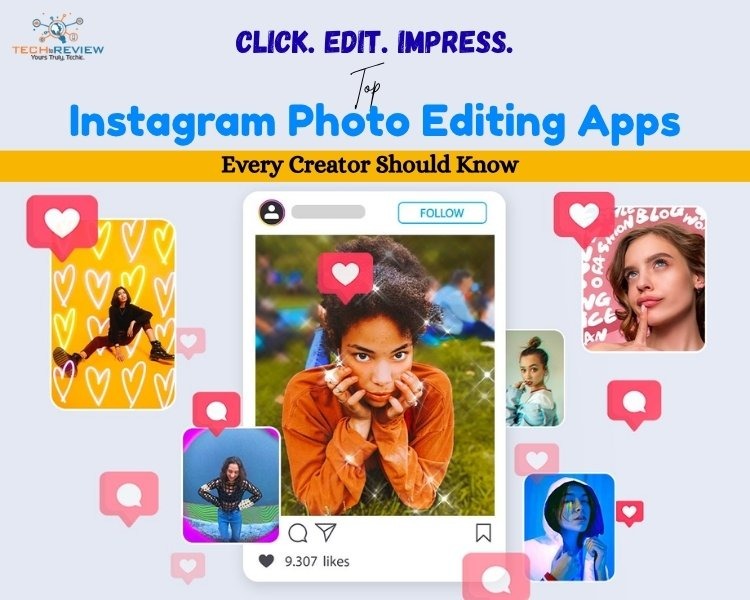
Have you ever wondered how ordinary Instagram posts look so extraordinary? Even a simple coffee shot, a travel video, or a casual selfie looks stunning. It's nothing but photo editing. In today’s social media world, creating high-quality content for Instagram is no longer optional. Especially for Gen Z users, it is essential to make content appealing and grab attention.
Photo editing apps make it easier than ever to transform ordinary photos into eye-catching visuals. Given Instagram's evolution, knowing how to use an IG photo editor has become important for almost everyone. Small business owners, photographers, restaurants & cafes, event planners, fitness trainers, and artists & designers, Instagram acts like a portfolio these days.
Using powerful tools like an IG photo editor to create stunning content is like the cherry on top. In simple terms, it is inevitable for businesses and individuals who are seeking income from social media platforms. If you, too, are looking to elevate your Instagram game, here are seven photo editing apps for every content creator.
Photo Editing Apps: Elevating Your Instagram Content
Instagram has become one of the biggest marketing platforms. Most of the businesses, almost 200 million, use Instagram to market their products and services through advertising and organic content. Here are the best photo editing apps for Instagram to make your content promotion-ready.
1- Adobe Lightroom
It is one of the most powerful Instagram editing apps, widely used by photographers, influencers, and professional content creators. Adobe Lightroom is widely known for its advanced editing capabilities and intuitive interface.
Unlike basic editing apps, this IG photo editor gives you complete control over colours, lighting, exposure and image details.
Key Features:
- Professional colour grading tools
- Presets for one-click editing
- Selective editing using masks
- AI-powered object removal
- Noise reduction tools
- Cloud synchronisation across devices
2- Snapseed
Among photo editing apps for Instagram, Snapseed is free and offers all the features of paid subscriptions. The app is simple enough for beginners and offers enough depth for experienced editors.
To expand its capability, you can combine this IG photo editor with other apps like VSCO.
Key Features:
- HDR effects
- Curve adjustment
- Portrait enhancement tools
- RAW image editing
- Selective editing brushes
3- RNI Films
If you’re looking for vintage-style photos, RNI Films is the best Instagram photo editor. This IG photo editor specialises in recreating the look and feel of classic film stocks. RNI Films gives simple photos a timeless, artistic look.
It is one of the free photo editing apps for Instagram, but you need to go pro to access some extraordinary features.
Key Features:
- Vintage colour tones
- Customisable features
- Professional colour profiles
- Analogue camera simulations
- Fine-tune controls
4- Meitu
It has gained immense popularity among creators thanks to AI-powered beauty and editing tools. The primary reasons for the popularity of this app are the photo enhancement, artistic effects and social-friendly editing features.
Among the photo editing apps for Instagram, Meitu specialises in selfies and portraits. Buy it now if you’re fond of eye-catching social media content and want to grab maximum attention.
Key Features:
- AI beauty enhancement
- Skin smoothing tools
- Face shaping option
- Makeup filters
- AI art generation
- Portrait editing tools
- Animated stickers
- Background removal
5- Facetune
It is one of the most recognised photo editing apps, especially designed to enhance facial and portrait photos. Facetune is considered the best Instagram photo editor because it enhances photos without requiring professional editing tools.
The app is particularly useful for Instagram users who usually upload selfies and close-up portraits.
Key Features:
- Skin smoothing
- Teeth whitening
- AI retouching
- Makeup enhancement
- Hair editing tools
- Eye enhancement
- Background editing
6- VSCO
This photo editing app is much more than just an IG photo editor. VSCO Cam is a creative platform loved by photographers and creators worldwide. It is one of the photo editing apps for Instagram that lets you easily copy and paste editing settings from one photo to another.
One interesting feature is that you can edit both JPEG and RAW files. If you are seeking an Instagram-worthy profile, VSCO Cam is one of the best apps to edit images for Instagram.
Key Features:
- Film-style filters
- Video editing support
- Community sharing platform
- Professional editing tool
- Advanced colour grading
- Exposure adjustment
7- Afterlight
If you’re looking for an advanced IG photo editor, Afterlight is the best option. It not only offers photo editing tools, but also text and borders to make photos more elaborate. This is one of the photo editing apps that helps create content that stands out on Instagram.
Key Features:
- Advanced filter collection
- Texture and overlays
- Frame and borders
- Colour adjustment tools
- Cropping and resizing features
- Typography options
Still confused about which IG photo editor to choose? Here is a quick guide.
Also Read: Guide to Save Instagram Story With Music
Which is the Best Instagram Photo Editor?
The best Instagram photo editor depends on your content style and requirements. Let us help you choose the best apps to edit pics for Instagram depending on your needs.
- Choose Adobe Lightroom for professional editing and Colour grading.
- Use Snapseed for free editing.
- Pick RNI Films for authentic film-inspired aesthetics.
- Try Meitu for AI-powered beauty editing.
- Consider Facetune for portrait retouching.
- Rely on VSCO Cam for premium filters and feed consistency.
- Go with Afterlight if you love creative effects and overlays.
Give Your Instagram Profile a Pinterest-Inspired Look
A great Instagram feed starts with great editing. While content matters most, its quality also plays a crucial role in attracting the most visitors.
The best photo editing apps make the photos look polished, professional and engaging. Whether you’re a beginner or an experienced influencer, an IG photo editor will enhance the photo quality of images clicked by a DSLR or any other professional camera.
Experiment with different Instagram editing apps to discover your editing style, and build a feed that truly reflects your creative vision.
About author

Portable Bluetooth Speaker: Best Picks for Your Travel Bag

Looking for a portable Bluetooth speaker for travel? Check out 5 easy-to-carry options with different sound, battery, and durability features.
Budget Gaming PC: The Smart Gamer’s Guide to Saving Money

Looking for a budget gaming PC? Learn how to choose the right GPU, CPU, RAM, storage, PSU, and cooling without overspending.
Why Is My Cell Phone Getting Hot? Learn the Quick Fixes

Wondering why is my cell phone getting hot? Discover the hidden triggers behind your device overheating and learn quick, safe tricks to cool it down fast.
How to Make Your Laptop Run Faster: Easy Ways to Speed Up

Is your laptop slow or freezing? Learn easy ways of How to make your laptop run faster, from clearing files and updating software to upgrading RAM and SSD.
Why Responsible IT Asset Disposition Matters in the Age of Constant Upgrades

Discover why responsible IT asset disposition matters in an upgrade-driven world, helping businesses protect data, reduce waste, and recover asset value.
3:2 vs 16:9: Which Aspect Ratio Should You Choose

Wondering about 3:2 vs 16:9 aspect ratios? Learn the key differences, best use cases, and limitations to pick the right one for your shots.