
Laptop vs Desktop: Which System Fits Your Life Best?
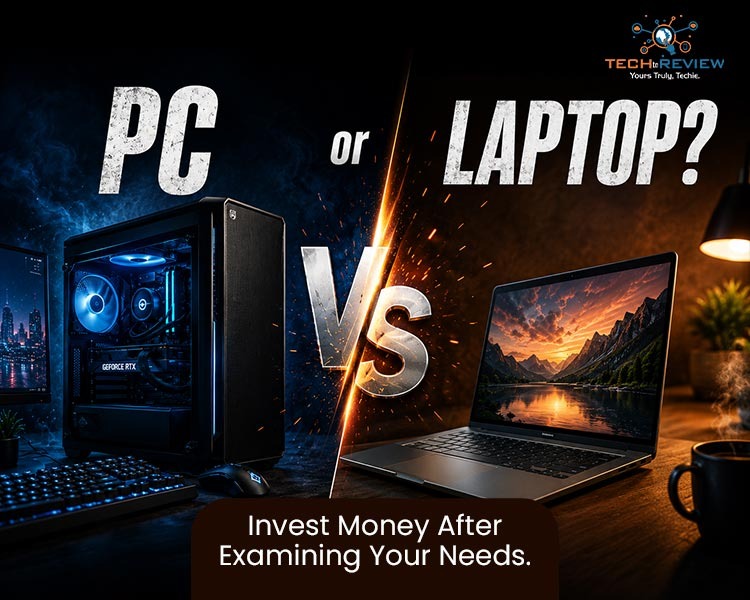
Choosing a new computer is a practical decision that shapes how you handle daily tasks, entertainment, and creative projects. The ultimate debate for consumers always comes down to laptop vs desktop systems. Both hardware platforms have evolved significantly, with portable machines gaining massive power and stationary towers becoming highly customizable.
To get the best return on your investment, you must look far beyond the initial price tag. This guide breaks down the core technical differences to help you choose the right setup for your routine.
Let's Get Started!
The Core Differences: Portability vs Permanent Power
The most obvious divide between a laptop vs desktop configuration is the physical form factor. One platform is engineered to move freely, while the other is anchored in place.
- Physical Footprint: Laptops integrate the screen, keyboard, trackpad, and processing components into one chassis. Desktops require a dedicated desk space to accommodate a tower, external monitor, keyboard, and mouse.
- Mobility: A portable device gives you the freedom to work from anywhere. A stationary tower keeps you at a specific desk but provides a stable environment for an expansive layout.
- Power Infrastructure: Portable systems rely on rechargeable batteries, limiting your untethered working time. Stationary towers plug directly into wall outlets, delivering continuous power without battery degradation worries.
Performance and Thermal Efficiency
When evaluating raw hardware processing speeds in the laptop vs desktop battle, physical size heavily dictates overall performance.
Desktops feature spacious enclosures with massive airflow capacity. This design leaves plenty of room for large cooling fans or liquid cooling loops. Because of this robust thermal management, desktop processors (CPUs) and graphics cards (GPUs) can run at peak speeds indefinitely without overheating.
Laptops must cram these exact same computational components into ultra-thin frames. To prevent heat damage, manufacturers use lower-wattage hardware versions and program the system to throttle speeds when temperatures rise. Consequently, a desktop chip will almost always outperform its portable equivalent, even if they share the exact same model name.
Upgradability and Structural Lifespan
How long do you want your computer to last? This is where your choice of a laptop or desktop infrastructure becomes critical for long-term savings. Here’s a detailed breakdown of the lifespan of a chosen system and its parts:
If a component fails or becomes outdated inside a traditional desktop tower, you can open the side panel and replace that single part in minutes. With a portable machine, a dead graphics chip or a cracked motherboard usually means buying an entirely new machine. Therefore, an individual analysing the value of laptop vs desktop hardware will find that standard towers yield a significantly longer operational lifespan.
Cost vs Value Analysis
Dollar for dollar, a stationary PC delivers vastly superior hardware value. When carefully analysing laptop vs PC market pricing, you quickly realise you pay a steep financial premium for the complex engineering required to miniaturise components.
A budget-friendly tower can easily handle intensive tasks like 4K video editing, heavy multitasking, or high-end 3D gaming. Achieving that identical performance level on a portable device requires buying a top-tier premium model, which frequently costs twice as much. However, when mapping out your budget, remember to account for the secondary cost of an external monitor and separate peripherals if you choose a tower.
Side-by-Side Usability Comparison
To help you quickly visualise the comprehensive system breakdown, here is how both options compare across daily usability metrics:
Which One Fits Your Convenience?
The definitive winner of the laptop vs desktop comparison depends entirely on your personal lifestyle and daily workflow requirements. No single form factor serves every user perfectly.
If it is your ultimate consideration for choosing a computer, pick a laptop. A student shuttling around various lecture theatres, a telecommuter travelling around various offices, or a travelling professional will find it convenient to carry their whole workstation within a backpack.
If you desire the ultimate speed, reliability, and ergonomics, go for a desktop. If you're a diehard gamer, a media professional, or an entrepreneur operating from a fixed home base, a stationary desktop is definitely better, more customizable, and more economical than a notebook. Comparing the advantages and disadvantages of laptop vs desktop will help you purchase the right one for your needs.
You Might Also Like- Operating System: A Beginner's Friendly User Guide
Frequently Asked Questions
Which is better, a laptop or desktop computer?
Laptops are best if you need portability, convenience, and an all-in-one setup for travel or school. Desktops are best if you demand raw performance, value for money, or need to upgrade parts over time for gaming and heavy creative work.
Can a laptop do everything a desktop can do?
For everyday tasks, modern laptops match desktop capabilities. By connecting a laptop to a docking station, external monitors, a keyboard, and a mouse, you achieve the exact same workstation experience.
Which lasts longer: a desktop or a laptop?
A desktop usually lasts longer because of its upgradeability and better cooling.
Can a laptop survive 20 years?
Yes, a laptop can physically last 20 years, but it’s highly unlikely to remain practically useful.
What is the most reliable laptop brand?
For the highest long-term reliability, industry experts and user consensus point to Apple for MacBooks and business-tier lineups like Lenovo ThinkPads or Dell Latitudes.
About author

How to Download Netflix Series as MP4 on a Laptop

Are you planning a long flight or weekend trip without reliable internet? Downloading your favorite Netflix series in advance seems like the great solution.
From Cards to Screens: The Evolution of Digital Games

Card games and board games used to come with a fair bit of setup. You needed the cards, pieces or board in front of you, and in many cases someone else had to be there too.
RTX 5060 vs RTX 4060: Is the Newer GPU Worth Your Money?
RTX 5060 vs RTX 4060: Compare gaming performance, FPS, GDDR7 vs GDDR6, DLSS features, power consumption, and prices to choose the right GPU in 2026.
How I Reclaimed Crucial SSD Space Without Deleting Essential Data Using Advanced SystemCare 20

I did not want to drag folders to the Recycle Bin and hope for the best. I wanted to free up room without losing documents, photos or settings. That is how I ended up testing Advanced SystemCare 20, a free Windows cleaner from IObit.
Samsung TV Not Connecting to WiFi? Get the Easy Fixes Here

Samsung TV not connecting to WiFi? Learn why it happens, try easy step-by-step fixes, and know what to do if nothing works. Fix & get back to streaming fast.
Rangefinder Digital Cameras: Benefits and Limitations

Discover what a rangefinder in digital camera is, how its focusing works, its advantages and limitations, and why photographers love it for street photography.