
Master How to Put on a Camera Strap on Every Camera
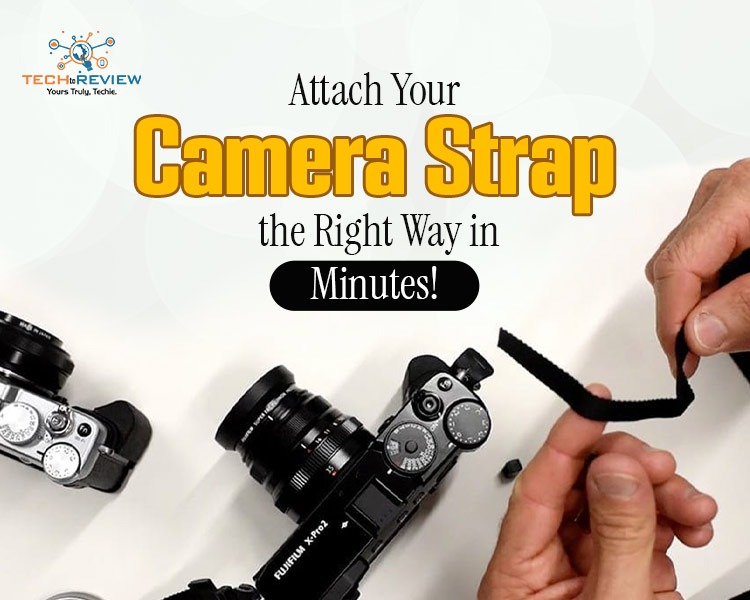
Imagine you’re unboxing your brand-new camera. Isn't it one of the most exciting moments? You hold that beautiful piece of technology in your hands, ready to capture memories. But before you step outside to shoot, you cannot skip a critical safety step. You must secure your gear, so it never slips out of your hands. And that one safety weapon is a “Camera Strap” Don’t worry if you don’t know how to put on a camera strap; we’ll teach you to avoid misshappenings.
Doesn't matter which company's camera you own; in this guide, you’ll find a solution for Nikon, Canon, and Sony cameras. Keeping expensive gear safe from accidental drops is every photographer's top priority. A loose neck strap can lead to a heartbreaking disaster on the pavement. Learning how to attach a camera strap correctly gives you complete peace of mind while exploring. Whether climbing a mountain or shooting a busy party, a secure fit is essential. So let's solve this puzzle in a straightforward way without wasting your time.
Lock Your Gear Safe: How to Put on a Camera Strap on a Nikon
Nikon cameras are famous for their tough build, and standard neck straps are excellent. Nikon uses a clean method, often called the "pro wrap", that keeps loose ends out of your way. Here is the step-by-step method on how to install a camera strap on your Nikon camera body:
- Locate hardware: Grab your Nikon strap, two plastic sliders, and two plastic retaining clips.
- Position the camera: Place it flat on a stable table with the lens facing away.
- Thread slider: Slide one end of the strap through the plastic buckle first.
- Go through eyelet: Push the tip of the nylon strap down through the metal eyelet loop.
- Add clip: Slide the strap end through the small plastic retaining clip.
- Weave back: Thread the strap end back up and through the main plastic slider.
- Tuck excess: Push the remaining loose end through the retaining clip to keep everything tight.
- Test it: Follow these steps for the opposite side, then pull hard to lock it.
And it’s done; you’re all set to take it anywhere and flaunt your photography skills without any danger of dropping it.
Snug and Secure: How to Put on a Camera Strap on a Canon
Canon cameras feature distinct styling and securing straps which keep your camera perfectly balanced. The process is very similar across models, but keeping the strap flat is key. Follow these clear points on how to assemble your Canon DSLR or mirrorless body strap:
- Check pieces: Ensure you have your classic Canon strap, two adjustment buckles, and two plastic loop rings.
- Orient : The strap so the embroidered Canon logo faces outward and is right-side up.
- Insert buckle: Feed the raw tip of the nylon strap through the plastic adjustment buckle.
- Thread lug: Push the end of the strap down through the metal mounting lug.
- Loop ring: Slide the strap tip through the plastic loop ring to prevent it from dangling.
- Double back: Route the tip back into the plastic adjustment buckle through the inner slot.
- Pull lock: Tighten the loop so the loose end is sandwiched firmly against the strap.
- Check balance: Pull firmly on both sides of the strap to verify the knots are solid.
Here you go, now you know how to install a camera strap on your Canon.
Modern and Clean: How to Put on a Camera Strap on a Sony
Sony mirrorless cameras are compact, sleek, and highly advanced pieces of technology. Because these bodies are smaller, learning to attach a camera strap correctly helps keep the lightweight setup safe. This is how to get a secure fit on your Sony Alpha system safely:
- Inspect the rings: Sony uses small metal triangles attached to the camera lugs; ensure they are secure.
- Start slider: Thread your Sony strap through the plastic slide buckle from bottom to top.
- Feed : The nylon strap tip downward through the triangular metal ring.
- Pass keeper: Slide the strap end through the small plastic keeper ring.
- Reverse slider: Take the loose end, loop backwards, and thread back through the main buckle.
- Pull slack: Tug the main body of the strap to remove any loose loops.
- Hide tip: Tuck the tiny remaining end into the keeper ring out of the way.
- Weight test: Give the strap a firm tug with both hands to ensure it is secure.
Ready for the Field: Your Gear is Safe and Secure
Whether it be Canon vs Nikon vs Sony, you have successfully learned how to put on a camera strap for your favourite photography setup. Taking just a few minutes to double-check your loops saves you from expensive repair bills down the road. Now that your neck strap is locked tightly, your hands are free to swap lenses or adjust settings. Grab your secure camera, head outside, and start capturing beautiful images with total confidence.
Frequently Asked Questions
Do camera straps fit all cameras?
Camera straps are mostly universal because almost all cameras feature standard strap lugs. Whether it connects via a split-ring or a thin nylon loop.
Where should the camera strap sit?
For most people, a medium-length strap is ideal, allowing the camera to sit at chest or waist level, which is comfortable for everyday use.
How to tie a camera wrist strap?
Attach the strap by threading the thin, string-like loop on the end of the strap through the metal eyelet or plastic lug on the side of your camera.
What are the 4 main types of cameras?
The 4 main types of cameras are DSLRs, Mirrorless, Compact (Point-and-Shoot), and Action cameras.
How long should my camera strap be?
The ideal camera strap length depends on your height and carrying style, but the most popular standard length is 40 inches (100 cm).
About author

How I Reclaimed Crucial SSD Space Without Deleting Essential Data Using Advanced SystemCare 20

I did not want to drag folders to the Recycle Bin and hope for the best. I wanted to free up room without losing documents, photos or settings. That is how I ended up testing Advanced SystemCare 20, a free Windows cleaner from IObit.
Samsung TV Not Connecting to WiFi? Get the Easy Fixes Here

Samsung TV not connecting to WiFi? Learn why it happens, try easy step-by-step fixes, and know what to do if nothing works. Fix & get back to streaming fast.
Rangefinder Digital Cameras: Benefits and Limitations

Discover what a rangefinder in digital camera is, how its focusing works, its advantages and limitations, and why photographers love it for street photography.
Why Phone Storage Gets Full Even If You Barely Install Anything

Discover why your phone storage fills up without installing apps. Learn how cached files, photos, hidden downloads, and system data consume space.
Top 5 Entry-Level DSLR Camera Picks to Buy in 2026

Looking for a great beginner camera? Discover the top 5 entry-level DSLR cameras to buy in 2026, featuring the best budget, travel, and video choices.
Best LED Black Friday TV Deals: Your TV Shopping Guide

Discover the best LED Black Friday TV deals for 2026: when sales start, how much you can save on LED, QLED, and OLED TVs, plus tips to spot fake discounts.