
What Causes Network Errors And How To Find Their Solution?
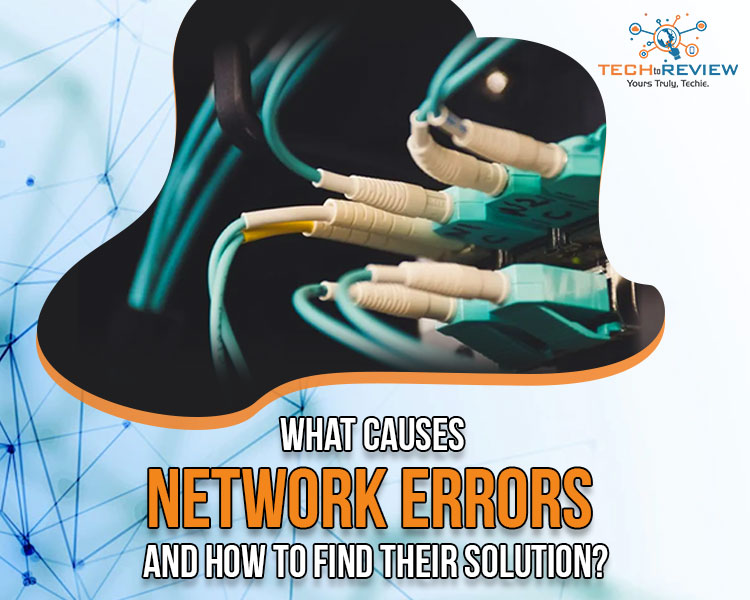
There is no denying that people are not aware of the internet and its usage! However, the most common issue faced by people surfing through browsers and social media platforms is network errors.
The word, 'network errors' refers to the loss of connection due to different network or technical failure. A simple message denoting a network error is generated and displayed on the computer screen. Though there are several common reasons behind these network errors, the most prominent cause is the poor connectivity of the internet or Wi-Fi connection.
When encountering such network errors, especially while working over the internet can be irritating and people tend to look for immediate solutions. If you are facing constant network errors in your internet connection, here is an ultimate guide to help you find better connectivity within minutes.
What Are Common Network Errors?
Network errors often affect the productivity of an individual. With enhanced digitalisation, we all completely depend on data connections and the internet. Whether working in an office or attending online classes, surfing through different browsers and apps has settled as our daily routine, and little disturbances can cause severe issues in regard to work. In this article, we have listed some common network errors and shared a simple solution so you can easily get rid of the data issue.
1. When The Network Cable Is Unplugged
An unplugged network cable is a prominent cause that usually goes unnoticed. Network errors are caused when the connectivity is jeopardised and not being connected with the cable is definitely the most important reason you may lose any connectivity. These types of cables are used in offices and buildings with Local Area Network. You may notice the disconnectivity on the computer screen in the section of Ethernet Adapter. Though it is a common cause, we have an easy solution that would work wonders.
Solution: -
1. Go to the Ethernet network section and select the option 'disable'.
2. This could work well as mostly disabling and enabling options can solve any network errors.
3. If this does not work, check the Ethernet cable and ensure that it is connected properly. (Loose wire can cause network errors)
4. Check for any damage to the Ethernet wire.
5. Once all these things are checked and cross-checked, the connectivity issues can easily be solved.
2. Issues In IP Address
If your connectivity is not dependent on the wire or ethernet adapter, then the system is connected with dynamic addressing (DHCP). This IP address issue can occur when two systems are attached to the same Local area network or two systems are attached with the same IP address. In simple terms, a static can affect the working of data connection in both computers and cause network errors.
Solution:-
1. Make sure you assign each computer with a different IP address to avoid any static.
2. If your computer is attached with another IP address conflict, release the network and use the new address.
3. Check if there is any fault in your router and ask for an expert to reach you soonest.
3. Having Limited Or Connectivity Issues
Have you ever received a message on your computer screen regarding a limited connectivity issue? This means your system is not able to assess the connection from the source. In many systems a yellow box glitches on the screen written with a warning sign of ‘Limited Or No Connectivity.’ This means you have to check the wireless network of your home or workplace. Coming to resolving the network errors issue, you could take the help of an expert guide and check your network requirements and internet needs. This helps in getting a better connection and reduces any chance of low connectivity.
Solution:-
1. Check your network connectivity as it must not be switched off.
2. Ensure your Broadband router is attached, you can reset it for resolving any issue.
3. Rebooting the computer, router, modem etc can also solve your low connection network errors.
Apart from these basic network errors mentioned above, having VPN or VLAN problems could also result in a failed network. In case you are unable to figure out your network issues or data connectivity problem it would be better to connect with the experts and ensure free flow of the network that helps you to attain productivity and enhance performance while working on the internet.
Read More Article: How To Hack WiFi Password Easily With Your Phone
About author

How I Reclaimed Crucial SSD Space Without Deleting Essential Data Using Advanced SystemCare 20

I did not want to drag folders to the Recycle Bin and hope for the best. I wanted to free up room without losing documents, photos or settings. That is how I ended up testing Advanced SystemCare 20, a free Windows cleaner from IObit.
Samsung TV Not Connecting to WiFi? Get the Easy Fixes Here

Samsung TV not connecting to WiFi? Learn why it happens, try easy step-by-step fixes, and know what to do if nothing works. Fix & get back to streaming fast.
Rangefinder Digital Cameras: Benefits and Limitations

Discover what a rangefinder in digital camera is, how its focusing works, its advantages and limitations, and why photographers love it for street photography.
Why Phone Storage Gets Full Even If You Barely Install Anything

Discover why your phone storage fills up without installing apps. Learn how cached files, photos, hidden downloads, and system data consume space.
Top 5 Entry-Level DSLR Camera Picks to Buy in 2026

Looking for a great beginner camera? Discover the top 5 entry-level DSLR cameras to buy in 2026, featuring the best budget, travel, and video choices.
Best LED Black Friday TV Deals: Your TV Shopping Guide

Discover the best LED Black Friday TV deals for 2026: when sales start, how much you can save on LED, QLED, and OLED TVs, plus tips to spot fake discounts.