
Antigravity A1: Features, Specs, & Best SD Card to Use
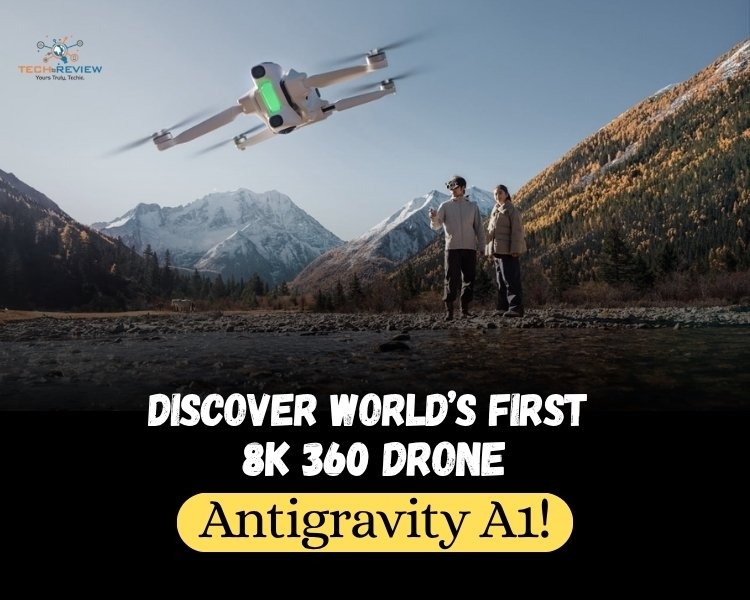
If you’re a fan of 360 cameras and drones, then you cannot miss the innovation of Antigravity A1. It is the world’s first drone with built-in 8K 360 capture, combining the technologies with an exciting level of usability and design finesse. And you know what makes it even more exciting? It's the first product from Antigravity, a new drone brand incubated by Insta 360 in collaboration with third parties.
Whether you’re a long-time drone enthusiast or a fan of 360 cameras, this guide is for you. We’ll discuss everything about Antigravity A1, its features, pricing, pros & cons, which SD card for Antigravity A1 is required and more.
What is Antigravity A1?
Meet the Antigravity A1, a unique drone that captures everything in 360 using a dual-lens setup. The dual lenses together record everything around the drone with its advanced stitching algorithm, which erases the drone from both the live video feed and final recording. It creates a smooth, immersive experience that places drone pilots directly inside the scene without distraction.
“Antigravity A1 is unlike anything we’ve helped bring to market, and it's set to revolutionise drone flight in several key ways”, says Max Richter, Co-founder and VP of Marketing at Insta360. The drone is digitally removed from the footage, giving you an impressive third-person shot that looks like a flying camera rather than a traditional directional drone.
The table represents the Antigravity A1 specs.
Features of Antigravity A1
Several features of Antigravity A1 make you wanna buy this drone without thinking twice.
1. Unlimited Reframming
With its 360 capture, you don;t need to aim, just fly and reframe your shot in any direction during post production using the AI-powered app to not miss any moment.
2. Invisible Drone
The drone's dual lenses are positioned precisely so that the entire body is stitched out of the recording. The AI is designed to be invisible, ensuring a clean, unobstructed view of the world.
3. Immersive Flight
Get the immersive flight view paired up with Antigravity vision goggles for a truly 360 immersive experience. You can also do head tracking via vision goggles, putting you right into the pilot’s seat.
4. Easy to Master
The grip motion controller makes flying intuitive. You need to point where you want to go and squeeze the trigger so that there are no complex stick moments to learn.
5. Travel friendly
Antigravity A1 is compact and lightweight at 249g for license-free flying in most countries and regions. It is compact enough to carry in a backpack and quick to set up in any environment.
6. Safe to Fly & Return
It has safety features, including return-to-home and a payload detection system, which enable it to automatically return to its starting point and operate within its safe carrying capacity.
How Does It Work?
The Antigravity A1 lets you fly the drone simply by pointing and moving your hand, capturing a fully spherical view of your surroundings. Its lightweight sub-249 g quadcopter is equipped with two 8K cameras, one facing upward and the other downward.
Unlike other drones, such as the DJI Mini 4 Pro, the grip controller is used for steering, taking off, and triggering smart camera nodes. Additionally, the pilot wears a VR-style headset that streams what the drone sees in real time, allowing you to look around independently of the drone's flight path.
Pros and Cons of Antigravity A1
Antigravity A1 is a powered pack with lots of benefits, but as they say, every coin has two sides, so does the 360 capture drone have drawbacks. Let’s discuss them.
Which SD Card for Antigravity A1 is Required?
Choosing the right SD card for the Antigravity A1 drone is necessary to ensure full functioning. The A1 requires a micro SD card with UHS-1, V30 minimum speed to support 8k 30 fps video. The ideal capacity is 256 GB because 8K consumes excessive space.
Here are the key specifications to look for in the best SD card for Antigravity A1.
Fly First and Frame Later!
Antigravity A1 redefines aerial capture as the world's first 8k 360 drone that captures everything around you perfectly. It lets you choose the frame that suits you after the flight.
The drone FreeMotion technology, together with vision goggles and grip controller, allows you to enjoy an immersive experience that feels both natural and intuitive. It enables pilots to fly in one direction while looking in another. This level of immersion lets you enjoy more freedom to explore.
The interesting part is that the 360 immersion doesn’t end when the drone lands, but the recorded footage can be viewed in 360 over and over again, letting users discover new angles every time they watch.
Frequently Asked Questions
1. What is the best memory card for Antigravity A1?
The best memory card for Antigravity A1 is the Lexar Silver Plus MicroSDXC UHS-1 V30.
2. What is the maximum distance of the Antigravity A1 drone?
The 10km range applies only under the FCC standard, 6km under CE, 8 km under SRRC, 4Km under MIC, reflecting the maximum one-way transmission distance without return to home under each standard.
3. How much memory GB Antigravity 1 requires?
Antigravity A1 requires 1-1.5 GB of memory.
4. Can you fly a drone under 250g anywhere in India?
No, you cannot fly a drone under 250g, which is known as a Nano drone, anywhere in India.
About author

Samsung TV Not Connecting to WiFi? Get the Easy Fixes Here

Samsung TV not connecting to WiFi? Learn why it happens, try easy step-by-step fixes, and know what to do if nothing works. Fix & get back to streaming fast.
Rangefinder Digital Cameras: Benefits and Limitations

Discover what a rangefinder in digital camera is, how its focusing works, its advantages and limitations, and why photographers love it for street photography.
Why Phone Storage Gets Full Even If You Barely Install Anything

Discover why your phone storage fills up without installing apps. Learn how cached files, photos, hidden downloads, and system data consume space.
Top 5 Entry-Level DSLR Camera Picks to Buy in 2026

Looking for a great beginner camera? Discover the top 5 entry-level DSLR cameras to buy in 2026, featuring the best budget, travel, and video choices.
Best LED Black Friday TV Deals: Your TV Shopping Guide

Discover the best LED Black Friday TV deals for 2026: when sales start, how much you can save on LED, QLED, and OLED TVs, plus tips to spot fake discounts.
Portable Bluetooth Speaker: Best Picks for Your Travel Bag

Looking for a portable Bluetooth speaker for travel? Check out 5 easy-to-carry options with different sound, battery, and durability features.