
How Many Photos Can 32GB Hold- Let’s Break It Down
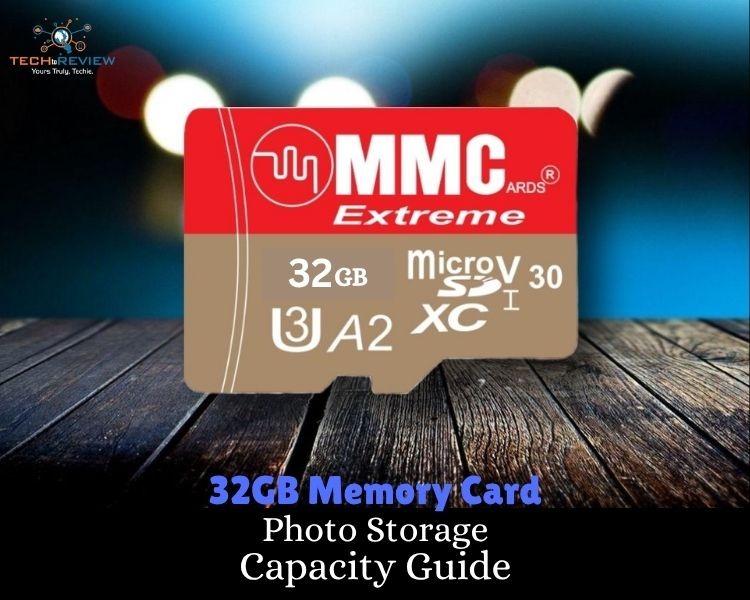
If you have ever received a warning ‘Clear Phone Storage’ on your phone, you're definitely not alone. One day, your gallery is chilling, and the next day, your phone is screaming Storage Full because of the selfies, screenshots, and random food pics.
Here, the common question pops up in the mind-
How many photos can 32GB hold?
Well.. the answer is not as simple as it seems. The number of photos your phone can take depends on the image quality, camera resolution, file format, and whatever you’re using. Take one photo and move on, person or capture 36 angles of the same coffee cup, kinda human.
If you’re using a small memory card and keep a large number of photos, you need to understand how many photos 32GB holds for continuous clicks.
What Does 32GB Really Mean - Understand it First
Before we jump into the question of how many photos can 32GB hold, let’s quickly understand the storage meaning.
It's surprising to users that a 32GB device, such as a memory card, phone, or USB drive, doesn’t actually give you the full 32GB to use. Some space is already eaten up by the system files.
In the real world, you actually get 28-30GB of usable space.
Now, another thing you need to understand before we answer how many photos does 32GB hold, is the type of photo you take.
Different photos take up different spaces.
For example, a WhatsApp image and a high-end DSLR RAW photo are basically from different worlds.
32GB Holds How Many Pictures?
Here is a quick overview of how many photos can 32GB hold. Basically, it depends on the photo quality, size and resolution. Let’s break it down.
So, the answer to how many photos 32GB holds depends on the type of photos. This is about the memory card. Let’s understand smartphone storage, as approximately 73.8% the population uses them these days, even for photo/video storage.
Understand How Many Photos 32GB Smartphone Holds
Most of the population uses smartphones, from the youngest generation to older parents. Modern smartphones are more focused on storage, since everything from official files to personal photos is stored on your phone.
If we talk about a single photo a phone produces, it is typically between 3MB and 6 MB. That means a 32GB storage smartphone can typically hold around 6,000 to 9,000 photos.
Not bad, right?
But, but, but…
Since it is a smartphone, don’t forget about other things that your phone can hold, such as -
- Apps
- System files
- Music
- Videos
- Cache
- Documents
- App data
Now, if your question is how many photos can 32GB hold, especially in a smartphone, then it depends on what else your phone contains.
What Size of Device You Need?
Everyone feels confused when a vendor asks how much memory you need or looking for in your device. Suddenly, your brain goes blank, and you start thinking:
- Is 32GB enough for you?
- What if I run out?
- How much would I need for all my stuff?
Here, the truth is, there is no one-size-fits-all answer. The amount of storage you need really depends on your requirements and how you use your device. Someone who only scrolls social media and is not very fond of selfies won’t need much storage.
However, content creators and photographers may need a lot of more storage.
Before buying a device, ask yourself a few questions -
- Do you take a lot of photos or videos?
- Do you play games?
- Do you download movies or Netflix content?
- Are you planning to use the device for years?
Some photos take up more storage space than others. Here are the reasons why you need to think about how many photos can 32 GB hold.
Reasons Why Some Photos Take More Space
Not all images are created equal. A few things massively affect the photo size. What are those?
- Camera resolution - The higher the megapixels, the larger the image file.
- File Format - JPEG covers less space, whereas raw photos take more space.
- Burst Mode is On - It takes more than a photo, and so is space.
Frequently Asked Questions
How many photos can 64GB hold?
The number of photos depends on the quality, size and resolution of the photos. If compared to 32GB storage, 64GB might hold around 12,000 - 18,000 smartphone photos or 2,000 - 3,000 RAW professional DSLR Photos.
How many videos can 32GB hold?
A 32GB device can typically hold
- 3-5 hours of 1080p video
- 1-2 hours of 4K video
Yes, it simply means that video quality also affects the storage.
How many photos can 32GB hold on an iPhone?
A 32GB iPhone storage can take up to 8000-12000 photos, thanks to Apple’s efficient HEIC image format.
Is 32GB enough for professional photos?
Professional photos take up more space than smartphone photos and hold approximately 1,000-1,500 RAW images.
How many GB do I need for 500 photos?
If these are smartphone photos, you may need 2GB-3GB of storage.
About author

How I Reclaimed Crucial SSD Space Without Deleting Essential Data Using Advanced SystemCare 20

I did not want to drag folders to the Recycle Bin and hope for the best. I wanted to free up room without losing documents, photos or settings. That is how I ended up testing Advanced SystemCare 20, a free Windows cleaner from IObit.
Samsung TV Not Connecting to WiFi? Get the Easy Fixes Here

Samsung TV not connecting to WiFi? Learn why it happens, try easy step-by-step fixes, and know what to do if nothing works. Fix & get back to streaming fast.
Rangefinder Digital Cameras: Benefits and Limitations

Discover what a rangefinder in digital camera is, how its focusing works, its advantages and limitations, and why photographers love it for street photography.
Why Phone Storage Gets Full Even If You Barely Install Anything

Discover why your phone storage fills up without installing apps. Learn how cached files, photos, hidden downloads, and system data consume space.
Top 5 Entry-Level DSLR Camera Picks to Buy in 2026

Looking for a great beginner camera? Discover the top 5 entry-level DSLR cameras to buy in 2026, featuring the best budget, travel, and video choices.
Best LED Black Friday TV Deals: Your TV Shopping Guide

Discover the best LED Black Friday TV deals for 2026: when sales start, how much you can save on LED, QLED, and OLED TVs, plus tips to spot fake discounts.