
How To Add Widgets On An Android Device
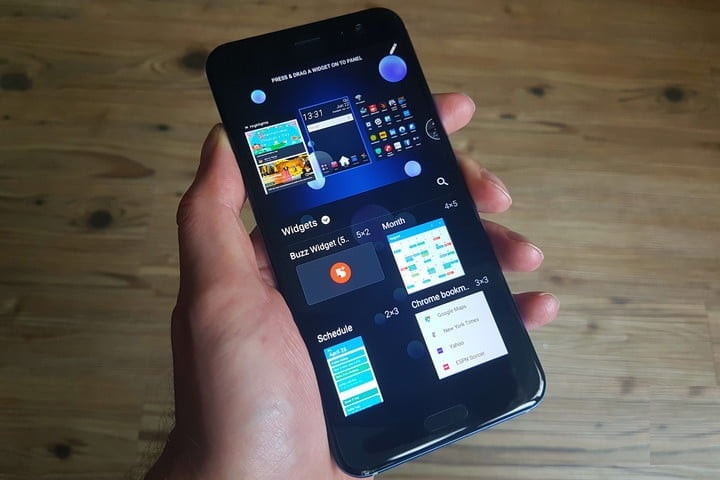
Nowadays, the home screen of an Android device is the most underutilized space on a Smartphone. This is just for some frequently used apps such as a clock, a Google Search bar, etc. If you want to use the home screen of your Android device or want to get some work done right there, or want to get more information from the space, or else you need to use the Widgets on Android. Many apps on the play store come with Widgets or some of them are for creating and adding widgets. These widgets don’t just appear on the home screen on their own. Your work is just to select and add these widgets to your home screen. For you, we have prepared a simple guide for you.
How to add widgets on Android
For adding widgets on your home screen, first of all, you have to narrow down on a space on the home screen of your Android device where you want to place the widget. If you place a widget on a populated home screen, it will mess up the whole design by creating space and moving older icons and widgets to other pages. If someone is particular about how the home screen is organized, then it is better to choose a blank page for a new widget. Once you are done with allocating space for the widgets then follow the steps given below-
-
In the home screen, long press the empty screen and you will find a pop-up menu. In that menu select widgets.
-
Now, select a widget form that menu of your choice. Touch and hold on the widget and drop icon that space that you have allocated on the home screen.
-
After the widget is in the right place, you can adjust the size by long pressing on the widget by dragging from the corner.
-
In case, you don’t like the widget, you can simply remove it by dragging and dropping it onto the remove pop-up.
This process for adding or removing widgets varies slightly from one android page to another but the main steps remain the same. If you want to do some changes to the settings, then you have to tap on the widget. This option is not available in all the android devices as all are not supporting customization.
Add Widgets on Android Using Third-Party Apps
You can also make and add your own widgets using third-party apps. One of the most popular custom widget makers for Android is KWGT. It allows you to create your own widget, customized it created by other users. Then add them to your home screen to introduce it as a unique look. With this best custom widget maker, you can create customized widgets like weather, battery monitors, music player, clocks, live wallpapers, maps, etc for making the tool a useful one. These are likely to be customized to their Android Smartphones. It is quite difficult to work with it but you can do it easily with the help of this article.
Read More Article: Link Spotify Account
About author

Best LED Black Friday TV Deals: Your TV Shopping Guide

Discover the best LED Black Friday TV deals for 2026: when sales start, how much you can save on LED, QLED, and OLED TVs, plus tips to spot fake discounts.
Portable Bluetooth Speaker: Best Picks for Your Travel Bag

Looking for a portable Bluetooth speaker for travel? Check out 5 easy-to-carry options with different sound, battery, and durability features.
Budget Gaming PC: The Smart Gamer’s Guide to Saving Money

Looking for a budget gaming PC? Learn how to choose the right GPU, CPU, RAM, storage, PSU, and cooling without overspending.
Why Is My Cell Phone Getting Hot? Learn the Quick Fixes

Wondering why is my cell phone getting hot? Discover the hidden triggers behind your device overheating and learn quick, safe tricks to cool it down fast.
How to Make Your Laptop Run Faster: Easy Ways to Speed Up

Is your laptop slow or freezing? Learn easy ways of How to make your laptop run faster, from clearing files and updating software to upgrading RAM and SSD.
Why Responsible IT Asset Disposition Matters in the Age of Constant Upgrades

Discover why responsible IT asset disposition matters in an upgrade-driven world, helping businesses protect data, reduce waste, and recover asset value.