
eSIM Vs Physical SIM: A Complete Comparison Guide
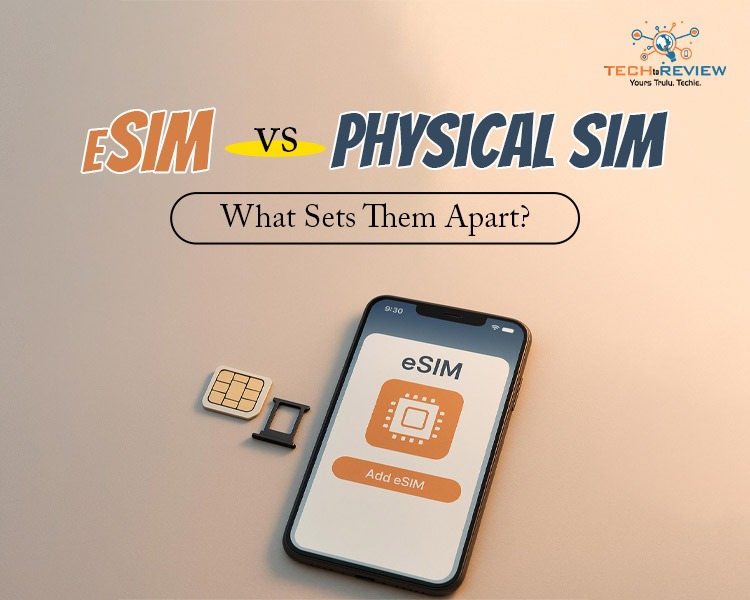
If you’ve recently switched phones or carriers, you’ve probably struggled to fit the SIM into your phone. The reason is that there is a newer SIM option called eSIM, which makes people confuse which one to choose. This is why it is important to understand eSIM Vs Physical SIM.
The comparison actually helps you make a better decision. In this blog, we’ll break everything down simply so you can confidently choose what works best for you.
What is eSIM?
eSIM or embedded SIM is a digital version of a traditional SIM card. Instead of inserting a physical SIM card into your phone, an eSIM is embedded directly into your device.
Yes, you got it right. No fiddling, No trays and No worries about losing a tiny card. You can activate your mobile plan by simply scanning a QR code or downloading a profile from your carrier.
When comparing eSIM Vs Physical SIM, both options are reliable, but eSIM is extremely flexible. Surprising to know that you can store multiple profiles on one device and switch between them without physically swapping anything.
This is especially useful for people who use more than one phone number.
What is a Physical SIM?
Physical SIM, though it does require an introduction, is a small plastic card with a copper chip installed. You need to insert it into your mobile to connect to the network. It stores your information and allows your device to make calls, send texts and use mobile data.
This is the traditional data that has been around for decades and is now being replaced by eSIMs. One of the biggest advantages of Physical or Traditional SIMs is that you can simply insert them into any mobile with a tray and move between devices, and you are good to go, no setup required, like eSIM.
This is another factor to consider when comparing eSIM vs physical SIM.
eSIM Vs Physical SIM: The Difference
Discussing the difference between eSIM and Physical SIM is crucial if we want to understand Physical SIM Vs eSIM. Here is a quick comparison to help you understand how these two options are different and which one you should choose.
The debate around eSIM vs Physical SIM is becoming more common as smartphone technology evolves. While eSIM offers seamless activation and the ability to manage multiple phone numbers, a Physical SIM Card remains a preferred choice for users seeking easy SIM insertion and universal support. Now the concern is which is better for you. Let’s discuss, is eSIM better than Physical SIM?’
Which SIM is Right For You?
Well, the choice depends entirely on your lifestyle and how you use your phone. Comparing eSIM vs Physical SIM shows that each has distinct advantages.
Go for eSIM if you -
- Like convenience and minimal hassle.
- Travel frequently and need multiple networks.
- Switched to a new smartphone that supports eSIM.
- Want a more secure and future-ready option.
Go for a Physical SIM if you -
- Often switch phones.
- Use an older or budget-friendly device.
- Carrer doesn’t support eSIM.
- Prefer simple and familiar things.
When comparing eSIM vs Physical SIM, both options offer reliable mobile connectivity, but they differ in connectivity, flexibility, and functionality, as is clear from the above discussion.
An eSIM is embedded directly into the phone, allowing users to switch between networks without inserting or replacing the SIMs. On the other hand, a Physical SIM is widely compatible.
Understanding physical SIM Vs eSIM is important to make the right decision depending on your needs.
Ready to Switch?
If you’re thinking about switching to eSIM, the process is straightforward.
All you need is a compatible device, and request eSIM activation from your carrier. With just an app or QR code, you are all set.
With eSIM Vs Physical SIM, you probably understand that both SIM types have their own advantage. However, with advancements, users are switching to eSIMs. Many newly released phones, such as the iPhone 16e, offer an eSIM option, making it convenient for users who frequently travel internationally.
Frequently Asked Questions
Is eSIM better than a physical SIM?
Frankly speaking, it depends on your needs. eSIMs offer greater flexibility and convenience, whereas Physical SIMs are more widely supported and easier to swap between devices.
Can I use both an eSIM and a physical SIM at the same time?
Yes, many phones support dual-SIM functionality that allows you to use both at the same time.
Is eSIM safe?
Of course. There is no risk of theft or damage with an eSIM.
What happens if I change my phone to an eSIM?
You need to activate the eSIM via a QR code or an app. Your carrier partner will help you switch the SIM.
Do all carriers and phones support eSIM?
Not yet. With growing demand, phone manufacturers and carriers are steadily shifting to eSIM.
How to Download Netflix Series as MP4 on a Laptop

Are you planning a long flight or weekend trip without reliable internet? Downloading your favorite Netflix series in advance seems like the great solution.
From Cards to Screens: The Evolution of Digital Games

Card games and board games used to come with a fair bit of setup. You needed the cards, pieces or board in front of you, and in many cases someone else had to be there too.
RTX 5060 vs RTX 4060: Is the Newer GPU Worth Your Money?
RTX 5060 vs RTX 4060: Compare gaming performance, FPS, GDDR7 vs GDDR6, DLSS features, power consumption, and prices to choose the right GPU in 2026.
How I Reclaimed Crucial SSD Space Without Deleting Essential Data Using Advanced SystemCare 20

I did not want to drag folders to the Recycle Bin and hope for the best. I wanted to free up room without losing documents, photos or settings. That is how I ended up testing Advanced SystemCare 20, a free Windows cleaner from IObit.
Samsung TV Not Connecting to WiFi? Get the Easy Fixes Here

Samsung TV not connecting to WiFi? Learn why it happens, try easy step-by-step fixes, and know what to do if nothing works. Fix & get back to streaming fast.
Rangefinder Digital Cameras: Benefits and Limitations

Discover what a rangefinder in digital camera is, how its focusing works, its advantages and limitations, and why photographers love it for street photography.