
What Is Google Stadia And How Does It work?
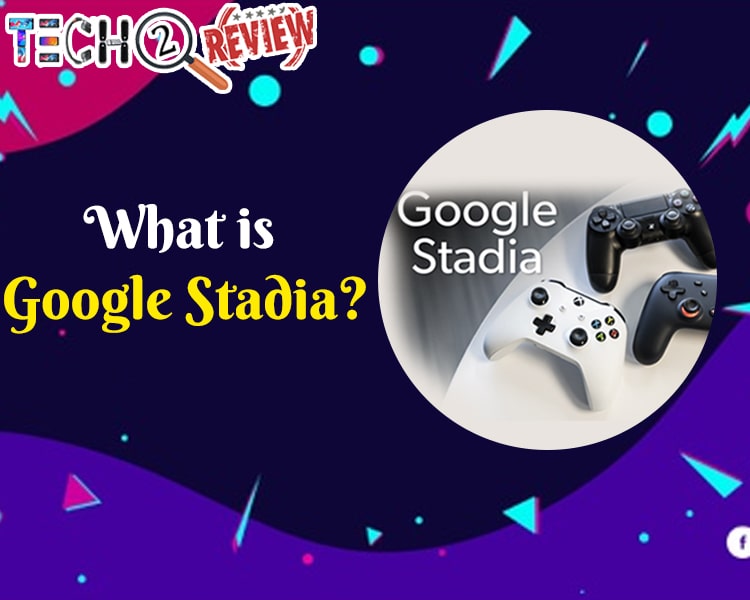
Gaming technology is developing so rapidly day by day. From Arcade games, Video games, PC games, Console to Mobile games and now Google Stadia, gamers have abundant opportunities to experience something new every year. Google Stadia is the new gaming platform recently exposed to the ever-emerging gaming community.
If you’re wondering ‘What is Google Stadia’, relax! Everything about Google Stadia will be discussed here in a precise manner. You just keep reading the post till the end as it contains much information about Google Stadia such as Google Stadia meaning, How does it Work, Which phone Google Stadia supports, What Google Stadia Games you can play and How much will it cost?
Google Stadia: Everything You Need To Know About It
What is Google Stadia?
Google Stadia is an interesting gaming platform from Google that allows you to play the latest games on any screen that you own. Google Server is one that is handling all the processes of gaming via the cloud. What Google Stadia requires is the most basic equipment such as Chromecast Ultra, your Phone or laptop, and a controller of your choice, either Google’s own Stadia controller, the Xbox One controller, or DualShock4 gamepad of PS4.
The best thing about the Google Stadia is you can play games anywhere in your comfort. Also, it has tons of top games of the last few years. If you have a strong internet connection, Google Stadia lets you play games at 4K resolution with HDR and 5.1 surround sound at 60fps.
How Does Google Stadia Work?
Google Stadia is the cloud gaming platform that allows you to play modern games without the need for physical copies and offers games on remote servers instead of your local device. There are two options for playing games via the cloud. You can buy a subscription for $10 a month where you’ll be able to either access the Stadia library on a remote server on your devices like a Phone, PC, Laptop, Tablet.
The Stadia pro subscription is currently offering Destiny 2 for free, but it will come with more free games in the future that you can play on your TV, PC, Laptop, smartphones like Google Pixel without the need of any game launcher.
Which Phone Google Stadia Support?
At the time Google Stadia launched, it was only limited to Google Pixel and Mac tablets. But recently Google Stadia joined a bunch of phones. Check out the list of phones that Google Stadia support, therefore you can enjoy the new gaming experience on your phone.
-
Galaxy S8
-
Galaxy S8+
-
Galaxy S8 Active
-
Galaxy Note8
-
Galaxy S9
-
Galaxy S9+
-
Galaxy Note9
-
Galaxy S10
-
Galaxy S10e
-
Galaxy S10+
-
Galaxy Note10
-
Galaxy Note 10+
-
Galaxy S20
-
Galaxy S20+
-
Galaxy S20 Ultra
-
Razer Phone
-
Razer Phone 2
-
ASUS ROG Phone
-
ASUS ROG Phone II
-
Pixel 4 XL
-
Pixel 4
-
Pixel 3a XL
-
Pixel 3a
-
Pixel 3 XL
-
Pixel 3
-
Pixel 2
-
Pixel 2 XL
-
Pixel XL
-
Pixel
-
Pixel C
Sadly, the iPhone is still out of the list as it can’t support Google Stadia. If you’re already using any of these phones, hurry up and enjoy Google Stadia. And if not, pick any of your favorite phones out of the aforementioned list.
What Google Stadia Games Can You Play Right Now?
Google Stadia library is growing rapidly, as it is eliminating the need for console or powerful PC games. The Google Stadia games that are available right now for the gamers are mentioned below.
-
Hitman
-
Hotman Miami
-
Get packed
-
Kine
-
Little Nightmares
-
PUBG
-
Rage 2
-
Superhot
-
West of Loathing
-
WWE Battlegrounds
-
Wave Break
-
Attack on Titan 2: Final Battle
-
Baldur's Gate 3
-
Borderlands 3
-
Cake Bash
-
Celeste
-
Crayta
-
The Crew 2
The list of games is unlimited, but we have mentioned a few Google Stadia Games.
How Much Will it Cost?
Google Stadia is available at different price points. Originally available for $129 or £119 and you can buy the premium edition for $99 or £89.99. If you want a subscription to Stadia Pro, you have to spend $9.99 or £8.99/month, which lets you stream games at 4K/60fps/HDR with 5.1 surround sound and grant you access to a growing library of games for free as long as your subscription is active.
Most amazingly, if you don’t want to pay for a Stadia subscription, you can use Stadia Base which is available for free. In this, you’ll get 1080p/60fps resolution with stereo sound, but you have to pay for games individually.
Read More Article: Best PC Games With Low Graphics
About author

Samsung TV Not Connecting to WiFi? Get the Easy Fixes Here

Samsung TV not connecting to WiFi? Learn why it happens, try easy step-by-step fixes, and know what to do if nothing works. Fix & get back to streaming fast.
Rangefinder Digital Cameras: Benefits and Limitations

Discover what a rangefinder in digital camera is, how its focusing works, its advantages and limitations, and why photographers love it for street photography.
Why Phone Storage Gets Full Even If You Barely Install Anything

Discover why your phone storage fills up without installing apps. Learn how cached files, photos, hidden downloads, and system data consume space.
Top 5 Entry-Level DSLR Camera Picks to Buy in 2026

Looking for a great beginner camera? Discover the top 5 entry-level DSLR cameras to buy in 2026, featuring the best budget, travel, and video choices.
Best LED Black Friday TV Deals: Your TV Shopping Guide

Discover the best LED Black Friday TV deals for 2026: when sales start, how much you can save on LED, QLED, and OLED TVs, plus tips to spot fake discounts.
Portable Bluetooth Speaker: Best Picks for Your Travel Bag

Looking for a portable Bluetooth speaker for travel? Check out 5 easy-to-carry options with different sound, battery, and durability features.