
5 iPhone Features You Must Never Take For Granted
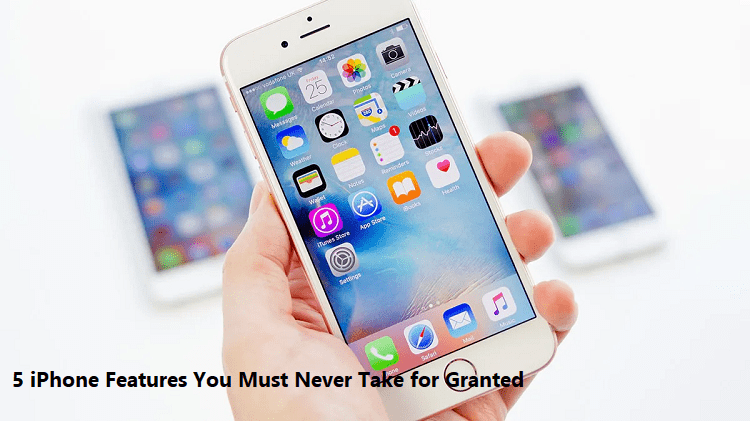
If you are a longtime iPhone user, it may be hard to deny that you could sometimes be clouded by familiarity. Let's admit that any iPhone, new or old, is insanely easy to use right out of the box. So, what's the danger? As you upgrade to your next iPhone, you might potentially overlook new and existing features–ones that you probably didn't know about, which have always been there!
Whether you just forgot or didn't know that these features existed, we're here to talk about five iOS functionalities you should never take for granted. These will range from helpful iPhone Settings to nifty features like picture-in-picture. Speaking of, it is also available on Android! If you have an Android device, you may want to check this picture in picture Android tutorial to experience this same functionality.
1. Multitask With Picture-in-Picture
Picture-in-Picture is a multitasking function that lets you watch videos while using other apps or being on a FaceTime call. Apple introduced it with iPad on iOS 13 but later brought the feature to iPhone on iOS 14. It means if you have the 6s or a later generation iPhone, you must take advantage of it!
Picture-in-Picture is perfect for replying to an urgent message while watching an intense episode on Netflix. Or if you are cramming a paper and need to gather information from a YouTube video, with this neat feature, your iPhone is all you'll ever need! Remember to try it when a situation calls for serious multitasking.
2. Ask Siri What Song Is Playing
Imagine yourself at the mall or in a cafe when you hear a cool song. You badly want to know the song's title; however, you don't have an app for song detection. Maybe you have one, but then you would need time looking for the app, or perhaps it takes too much time to launch. All would be fine only until the song ends–and your supposedly-new favorite song is gone forever.
Not to worry! Just activate Siri and ask, "What song is playing?" Siri will listen to the song without launching any apps and tell you its title in seconds! You can always use Shazam because it's the same app that Siri uses for music discovery; however, you can choose faster with Siri.
3. Utilize the Notes App
You must have, at some point, used the Notes if you've always been an iPhone user. But don't let this low-key app fool you because, over the years, it has become more powerful than ever. If you didn't know, Notes lets you attach files like photos and videos, use tables and checklists, enable extensive formatting, and even doodle with drawing tools.
If you enable iCloud and WiFi, perhaps the best part is that you can continue editing a note in real-time from where you left off across all your other Apple devices. Thanks to iCloud, you can pull up any note that you created on your MacBook or iPad and then access it on your iPhone. And just like Google Docs, you can create and share a note with friends and collaborate with them–whether it's a to-do or checklist for a camping trip or an outline for a project.
4. Take Advantage of the Emergency SOS Feature
You'll never be fully prepared for an emergency until it happens to you, which is why you should use your phone when you can! iOS has an Emergency SOS feature on the Settings app; it is pretty easy to set up! You may include information such as your allergies, blood type, emergency contacts, and how to reach them.
Once you set it up, you should click on the Lock/Wake button five times as fast as possible when you're in an emergency. Your phone will alert and reach your emergency contacts, informing them where you are and that you need help. Don't take this feature for granted because you'll never know when a situation could mean between life and death.
5. Enjoy the Freedom to Control Background App Refresh
Since iOS 7, iPhone users have been enjoying control over the background activity of their devices. What makes this an important feature? The apps in your library use WiFi or cellular connection to preload data even though you are not using them. The concept is the same as the Mail app, where the app fetches all your emails in real-time. It makes information readily available even before you use the apps.
It sounds handy, but what's the catch? If you allow Background App Refresh on all your apps, your phone will continuously fetch data, even for apps that you don't need at the moment. It would lead to a decrease in battery life and eat up a massive chunk of your mobile data, which will cost you more money.
So, you should review the Background App Refresh settings and tweak them based on your daily use. Turn off Background App Refresh on all apps you don't need real-time information. This way, you save on battery life and cellular data.
Takeaway
Your iPhone sometimes has more features than you think! That said, it would be best to make the most out of your phone by using apps and features that are useful for everyday life. And we hope that you were able to discover some of them in this post. Be sure to check out CellularNews.com for more tech reviews and guides!
Samsung TV Not Connecting to WiFi? Get the Easy Fixes Here

Samsung TV not connecting to WiFi? Learn why it happens, try easy step-by-step fixes, and know what to do if nothing works. Fix & get back to streaming fast.
Rangefinder Digital Cameras: Benefits and Limitations

Discover what a rangefinder in digital camera is, how its focusing works, its advantages and limitations, and why photographers love it for street photography.
Why Phone Storage Gets Full Even If You Barely Install Anything

Discover why your phone storage fills up without installing apps. Learn how cached files, photos, hidden downloads, and system data consume space.
Top 5 Entry-Level DSLR Camera Picks to Buy in 2026

Looking for a great beginner camera? Discover the top 5 entry-level DSLR cameras to buy in 2026, featuring the best budget, travel, and video choices.
Best LED Black Friday TV Deals: Your TV Shopping Guide

Discover the best LED Black Friday TV deals for 2026: when sales start, how much you can save on LED, QLED, and OLED TVs, plus tips to spot fake discounts.
Portable Bluetooth Speaker: Best Picks for Your Travel Bag

Looking for a portable Bluetooth speaker for travel? Check out 5 easy-to-carry options with different sound, battery, and durability features.