
Top 5 Furniture Design Software For Windows And Mac
Planning to buy new furniture for your home? Emerging technology might help you here too. With the advent of AI and Machine Learning, there are some furniture design software that can help you visualize your interior before it is actually designed. Sounds interesting? Let’s take this excitement to peak and explore the best furniture design software right now.
When you walk into the furniture store or browse on the internet, you can find various stunning designer pieces that might best fit your choice and your space. But their hefty price tag may not allow your pocket to get them to your home. To cut the cost, you might look for professionals who can visualize your dream and bring them to the table. But are they affordable? Probably not. Don’t stop dreaming of luxury furniture just because of a few pennies. Free furniture design programs are here to help you. With these software, you can create your own furniture design free of cost.
There are several woodworking design apps available on the internet that you can leverage for free. With these tools, you can customize your own design, add 3D effects & colors to visualize the image of how it looks in your home.
Let's begin with naming the best furniture design software available on the internet today that you should download now.
Best Furniture Design Software You Can Use To Design Your Home Interior
1. SketchList 3D
When it comes to designing wooden furniture, it requires minor detailing that embellish the space. SketchList 3Ds simplifies your designing task by allowing you to mark the minor details and visualize the element at how it looks at your space through the virtual board. This is one of the best tools on the list as it offers a real image of the furniture you have designed.
Supported Platforms- Mac & Windows
2. Google SketchUp
Probably, one of the most widely used 3D furniture design software on the list. This software is loaded with features such as 3D & 2D models, light affecting, animations, textures, layer manager, etc even without cost a single amount from its users. What makes this tool the handiest is its feature of sharing the design online with the peer designer to get feedback. You can also look at the others' work on the app to get the idea. If you want to enjoy more features, you buy a subscription of $301 per year.
Supported Platforms- Mac & Windows
3. Fusion 360
Whether you’re a fan of wooden furniture or a professional in woodwork, Fusion 360 is the recommended furniture design software. This is the most powerful furniture designing tool that enables you to start from the basic sketching and end up with a fully customizable 3D model. Here you can color the furniture in order to get the perfect combination for your home. Besides designing the object on your PC, you can also get the printout in the 3D format to get a proper look.
Supported Platforms- Mac & Windows
4. SolidWorks
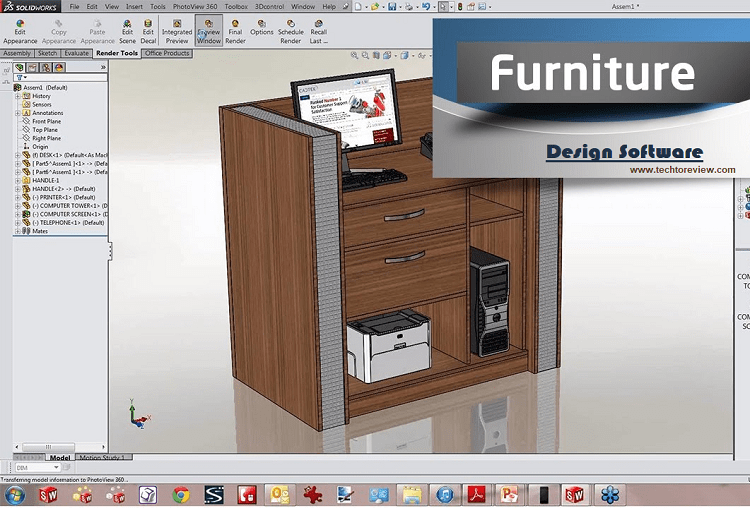
The furniture design software that comes with a variety of features is SolidWorks. SolidWorks gives you the liberty to design your home interior on your own without any limitation. Since it uses Computer-Aided Design (CAD) technology, it allows you to use a number of different materials to try in your design. Here, you can also add texture and 3D elements to your design to enhance its appearance. In fact, this software provides a catalog of partner software and woodworking libraries to help you to create the out of box designs. However you can try a free trial, but there are three subscription plans also such as Academia Students Research and Commercial, which you can choose as per your needs.
Supported Platforms- Windows
5. Playboard Cabinet Design
If you want a designer cabinet or shelves to decorate your interior, Playboard Cabinet Design is the right software for you. With a user-friendly interface of this 3D software, you can design your cabinet or shelves according to your need. The features of Playboard Cabinet Design software are not limited to the cabinet, but it has a huge collection of doors, glasses, and handles to choose from. The software is capable of observing even small details and letting you modify them.
Supported Platforms- Mac & Windows
While you can buy a subscription to many advanced woodworking furniture apps with a variety of better options but the cost they charge may be unaffordable. The aforementioned furniture design software is not only free but also allows you to customize your own design with a variety of effects and minor detailing. Be it your dream home, organization, or firm, furniture is something must. By customizing your own designs, you can save your money and can get a piece of furniture that is convenient for your space.
Read More Article: Best Galaxy Watch Apps
About author

Why Phone Storage Gets Full Even If You Barely Install Anything

Discover why your phone storage fills up without installing apps. Learn how cached files, photos, hidden downloads, and system data consume space.
Top 5 Entry-Level DSLR Camera Picks to Buy in 2026

Looking for a great beginner camera? Discover the top 5 entry-level DSLR cameras to buy in 2026, featuring the best budget, travel, and video choices.
Best LED Black Friday TV Deals: Your TV Shopping Guide

Discover the best LED Black Friday TV deals for 2026: when sales start, how much you can save on LED, QLED, and OLED TVs, plus tips to spot fake discounts.
Portable Bluetooth Speaker: Best Picks for Your Travel Bag

Looking for a portable Bluetooth speaker for travel? Check out 5 easy-to-carry options with different sound, battery, and durability features.
Budget Gaming PC: The Smart Gamer’s Guide to Saving Money

Looking for a budget gaming PC? Learn how to choose the right GPU, CPU, RAM, storage, PSU, and cooling without overspending.
Why Is My Cell Phone Getting Hot? Learn the Quick Fixes

Wondering why is my cell phone getting hot? Discover the hidden triggers behind your device overheating and learn quick, safe tricks to cool it down fast.