
Core count VS Clock speed which is better?
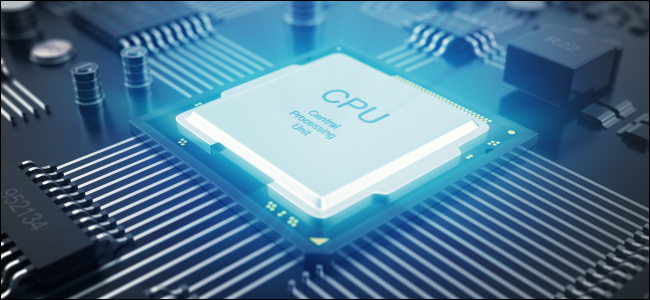
Processors were quite simple back in the mid early 90’s where they would have only a single core processing all the commands given to it one at a time. But today’s processors are of big talks, having multiple cores, higher Clock Speed and are packed with features to make the users experience even better.
To determine whether Core Count is better than Clock Speed or vice versa, let’s find out what each of them in detail.

Core Count
Many define CPU as the brain of a system. Say if your brain is the CPU and the body is the system, it is only natural that your whole body would stop working if your brain froze. Back in the days where there were only one core CPUs were a thing, programs would freeze that would eventually lead to the freezing of the whole system. On the other hand, modern CPUs have multi cores assigned to every core are different tasks. Which basically means if your program freezes it would not interrupt the other ongoing tasks, the core assigned to the frozen program will wait for you to check what's wrong or close that program instead to free up the core.
Clock Speed
Clock speed can be referred to the processing speed of instructions given by the user. The Clock speed of a processor is measured in GHz, today you can see processors ranging from 2 GHz up to 5 GHz, the higher the number the faster is the clock speed. Overclocking the CPU can help you reach higher Clock speed.
What matter more, Core Count or Clock Speed?
Similar to our previous comparison between the better processor brand, the winner here totally depends on which program you are running. In some scenarios a processor with 2 cores and 4 GHz performs better than a processor with 8 cores and 2 GHz. However, Video editing softwares are great example of utilizing Core counts, where more Core count will result in faster Video processing.
About author

Best LED Black Friday TV Deals: Your TV Shopping Guide

Discover the best LED Black Friday TV deals for 2026: when sales start, how much you can save on LED, QLED, and OLED TVs, plus tips to spot fake discounts.
Portable Bluetooth Speaker: Best Picks for Your Travel Bag

Looking for a portable Bluetooth speaker for travel? Check out 5 easy-to-carry options with different sound, battery, and durability features.
Budget Gaming PC: The Smart Gamer’s Guide to Saving Money

Looking for a budget gaming PC? Learn how to choose the right GPU, CPU, RAM, storage, PSU, and cooling without overspending.
Why Is My Cell Phone Getting Hot? Learn the Quick Fixes

Wondering why is my cell phone getting hot? Discover the hidden triggers behind your device overheating and learn quick, safe tricks to cool it down fast.
How to Make Your Laptop Run Faster: Easy Ways to Speed Up

Is your laptop slow or freezing? Learn easy ways of How to make your laptop run faster, from clearing files and updating software to upgrading RAM and SSD.
Why Responsible IT Asset Disposition Matters in the Age of Constant Upgrades

Discover why responsible IT asset disposition matters in an upgrade-driven world, helping businesses protect data, reduce waste, and recover asset value.