
YouTube Looking To Hide The Comment Section By Default
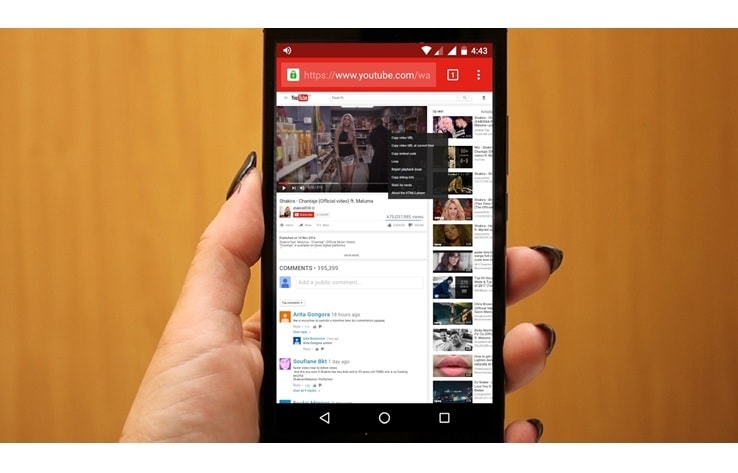
A comment section is a place where the users can agree, disagree, fight with or have a laugh at the expense of different people you don’t know. With the announcement of this feature, YouTube is looking to change the way users look at their comment section on the video streaming platform. Traditionally, the comments section present on an Android Smartphone is listed below the “up next” playlist.
YouTube is currently testing a new layout, which can easily hide the comments unless you press the button to expose it. In this new UI being tested by YouTube, the comment section is listed as a clickable button which is placed between the share and the dislike button. If the user clicks once on this button, then he/she can easily see the comments. Dragging down that page will refresh the comments section. Along with this, the ‘Save to watch later’ option is now present under the download section in this new UI.
According to the XDA developers, the rollout of this upcoming layout in the Android app has not expanded beyond India. This layout will help to access the comments for only those users who want to contribute to the conversation. If you are one of those users, who visits YouTube just for viewing videos, then this change of layout will be a great change for you. The users who are viewing the live video comment can disable this feature manually.
The availability and access of this new UI, for the users, is still not clear. YouTube is making these changes just to improve the user experience. They are trying to create a separate hub for those users who are looking to express their opinion about the video.
About author

Best LED Black Friday TV Deals: Your TV Shopping Guide

Discover the best LED Black Friday TV deals for 2026: when sales start, how much you can save on LED, QLED, and OLED TVs, plus tips to spot fake discounts.
Portable Bluetooth Speaker: Best Picks for Your Travel Bag

Looking for a portable Bluetooth speaker for travel? Check out 5 easy-to-carry options with different sound, battery, and durability features.
Budget Gaming PC: The Smart Gamer’s Guide to Saving Money

Looking for a budget gaming PC? Learn how to choose the right GPU, CPU, RAM, storage, PSU, and cooling without overspending.
Why Is My Cell Phone Getting Hot? Learn the Quick Fixes

Wondering why is my cell phone getting hot? Discover the hidden triggers behind your device overheating and learn quick, safe tricks to cool it down fast.
How to Make Your Laptop Run Faster: Easy Ways to Speed Up

Is your laptop slow or freezing? Learn easy ways of How to make your laptop run faster, from clearing files and updating software to upgrading RAM and SSD.
Why Responsible IT Asset Disposition Matters in the Age of Constant Upgrades

Discover why responsible IT asset disposition matters in an upgrade-driven world, helping businesses protect data, reduce waste, and recover asset value.