
Google Announced Latest Android 9 (Pie) Update

Google announced the latest update of Android version for your devices, which is named as Android Pie on 6th Aug 2018. Google began rolling it out on Pixel phones on the same day with Google pixel, pixel XL, pixel 2, and pixel 2 XL. This flavor of Android 9 comes up brimming with all sorts of new features including upgraded UI elements, brand new gesture navigation system and a heap of under the hood tweaks which aims to make it an amazing version of Android. The Google also announced the more secure, faster and lighter version of Oreo, just after the release of Android 9 Pie. This lighter version of Android is known as the Go update which is able to free up more space on your Smartphone.
Some of the key Android Pie features can be stated as follows:
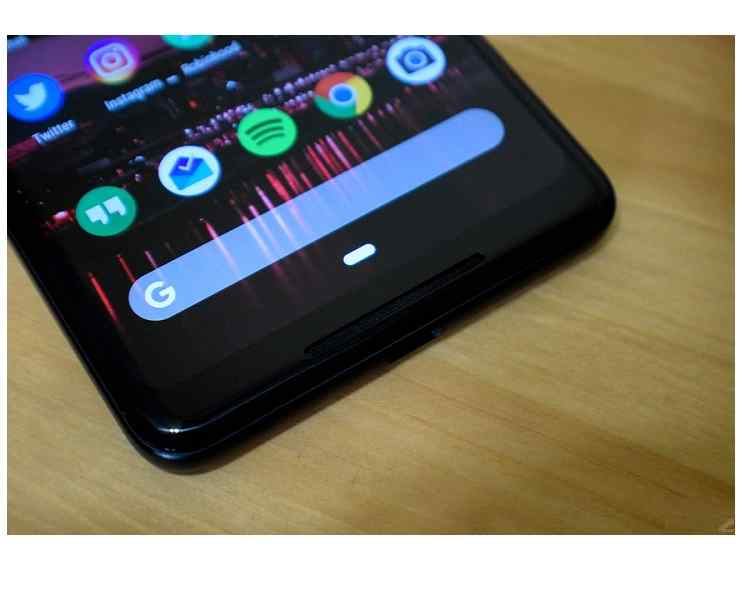
- Gesture navigation
- Adaptive brightness
- Adaptive battery
- New look for quick settings
- The Redesigned app overview screen
- App actions and slices
- Improved notifications
- Optional dark / light themes
- Digital well being
- Improved do not disturb mode
Android 9 allows you to go more with a single charge. Its smart feature of the adaptive battery gets used to your preferences and don’t let the unused apps and services drain your battery. Android Pie Update includes the apps action feature which lets you do the more conveniently by predicting your next task. The slices feature of Android 9 lets you bring the relevant parts of your favorite apps to the surface.
The latest Android 9 Update comes with the Intuition navigations which allow the user to quickly switch between apps with the help of gestures instead of buttons. Android 9 includes the latest feature of digital well being with the motto of “Great technology should help not distract”, through which you can make any changes along the way.
Wind down with do not disturb feature help you to set your daily limit of using a phone and once that time limit is passed it changes the screen to grayscale and make the phone to do not disturb mode.
Android 9 (pie) also comes included with some of the other features like:
- Accessibility menu – Taking Screen shots and navigating with one hand has become easier for motor impaired users with the help of the latest Android 9 update accessibility menu.
- Sound amplifier – This new accessibility feature lets the user to easily understand the conversations by dynamic adjustments to boost the audio in various scenarios including a loud restaurant, concert or a bar.
- Multi camera support – The Android Pie feature of Multi camera support helps the user to create the immersive experience with the help of streams of two or more physical cameras. Examples include stereo vision, depth, bokeh, and more.
- HEIF – Android 9 comes with the HEIF support which can help in improving the compression of the photos and resulting in the amount of the storage needed to store.
- HD audio – It delivers the sharper, clearer, and the richer quality of sound with the help of improved performance and the HD audio support included in the latest update of Android 9 (Pie).
Android Pie is already included with many Smartphone beside the Google pixel phones like Nokia, One plus, Oppo, Vivo, Sony, Xiomi and even Essentials. But some of the company manufacturers are working to make the Android 9 (pie) to work on their Smartphone’s.
About author

Best LED Black Friday TV Deals: Your TV Shopping Guide

Discover the best LED Black Friday TV deals for 2026: when sales start, how much you can save on LED, QLED, and OLED TVs, plus tips to spot fake discounts.
Portable Bluetooth Speaker: Best Picks for Your Travel Bag

Looking for a portable Bluetooth speaker for travel? Check out 5 easy-to-carry options with different sound, battery, and durability features.
Budget Gaming PC: The Smart Gamer’s Guide to Saving Money

Looking for a budget gaming PC? Learn how to choose the right GPU, CPU, RAM, storage, PSU, and cooling without overspending.
Why Is My Cell Phone Getting Hot? Learn the Quick Fixes

Wondering why is my cell phone getting hot? Discover the hidden triggers behind your device overheating and learn quick, safe tricks to cool it down fast.
How to Make Your Laptop Run Faster: Easy Ways to Speed Up

Is your laptop slow or freezing? Learn easy ways of How to make your laptop run faster, from clearing files and updating software to upgrading RAM and SSD.
Why Responsible IT Asset Disposition Matters in the Age of Constant Upgrades

Discover why responsible IT asset disposition matters in an upgrade-driven world, helping businesses protect data, reduce waste, and recover asset value.