Google Duo Rolls Out Group Calls And Data Saving Features For Android

Google Duo

Google Duo is basically Android’s built-in video chat app which is getting the support of two new features to its popular video calling applications. These two new features rolling out are;
 
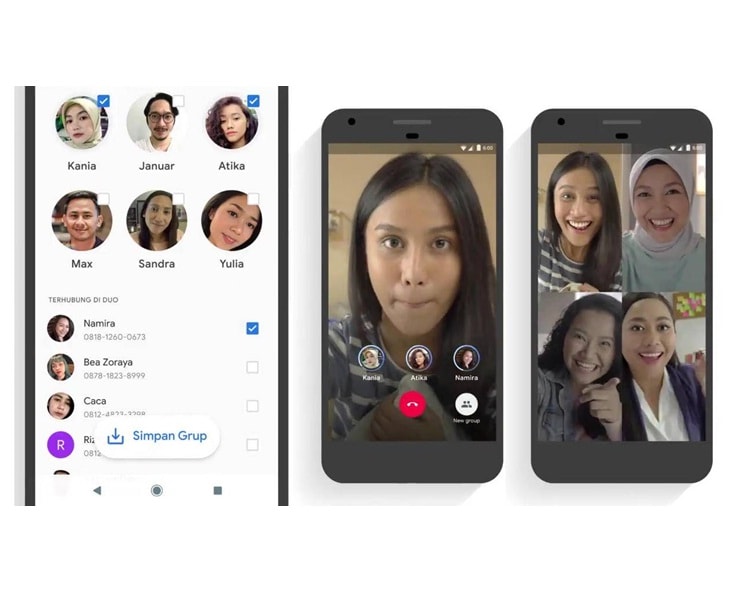
1. The First feature includes Group calling through which the users can be able to make group video calls of up to eight people.
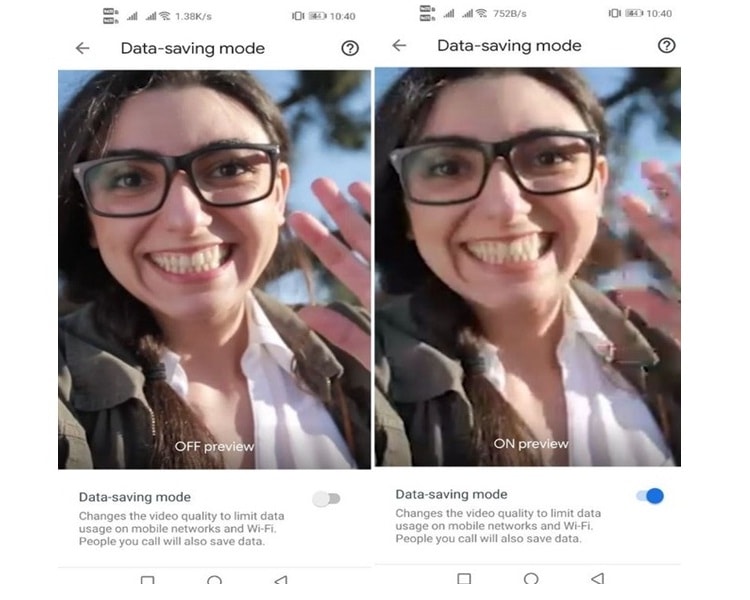
2. The Second feature of this upcoming update is the new data saving mode included in this video calling application.
 
The above shown two new upcoming Google Duo features are available in India for the Android Duo users starting from 24th May 2019, while the IOS Duo users have to wait for these features.
 
The Group calling feature has become very popular and standard feature included in most of the calling apps. Along with this, it was recently introduced on the WhatsApp along with Apple’s Facetime platform. This feature is now been included in the Google Duo and can take a total of eight people in a single group call. As compared to Google Duo, WhatsApp has only four slots in a single group call while Apple’s Facetime has a total of 32 participants to take a single group call.
 
Shweta Vaidya, known as the current product manager of Google Duo, on 24th May 2019 said, “India is already the largest market for Duo globally, and we’re committed to building for India, helping people have a seamless and delightful experience connecting with their loved ones face to face. As a part of that commitment, we are happy to announce two new features on Duo today: Group Calling and Data Saving Mode.”
 

Group Calling:

With the help of this new feature named ‘Group Calling’, groups of friends and family can stay in touch all the time through Google Duo. If you want to make a group video call through Google Duo, then the users’ first need to open the app and just below the search bar there will be an icon named as ‘Create Group’. One should then tap the button to add the people with whom they want to talk. This new upcoming feature lets the user talk with up to eight people at a single group call.


Data Saving Mode:

The Company has officially announced this new Data Saving Mode which is also known as the new low light mode present in the app. This amazing feature helps people to experience high-quality video calling, without facing the problem of data consumption. The users can easily reduce data usage, by just setting up the Data Saving Mode present in the application settings. With the help of this new upcoming feature of data saving mode, the users can save their data up to 50 percent and it is made to work on both Wi-Fi and other cellular networks.


According to the leaked news, Google says that almost 60 % of all Duo app user included someone present outside the top eight cities during the calls along with this a data saver feature is also included in this new upcoming update.
 
Read More Article: Best Google Search Tricks 

Related tags

About author


Related Posts

What Is QLED TV? A Simple Guide for Beginners

by Shipra Prajapati 14 hours ago

Learn what is QLED TV, how it works, its benefits, & the key differences between QLED and OLED TVs. Find out if it is the right choice for your home.

Antigravity A1: Features, Specs, & Best SD Card to Use

by Shipra Prajapati 2 days ago

Explore the innovative Antigravity A1 drone with built-in 8k 360 capture. Learn about its features, how it works, its pros, & which SD card is best.

Best Tie Microphone for Studio-Like Audio Quality

by Shipra Prajapati 2 days ago

Looking for the best tie microphone? Find top-rated options with noise cancellation, clear voice capture, and compatibility with mobiles and cameras.

Best Camera Phone Under 50000: Affordable and Powerful

by Shipra Prajapati 3 days ago

Looking for the best camera phone under 50,000? Discover top picks with real-world performance, not just megapixels. Compare and choose smartly in 2026.

How ChatGPT Work? The AI Magic Explained

by Shipra Prajapati 6 days ago

Learn how ChatGPT works behind the scenes, from AI models to real-world use. A simple, expert guide to understanding ChatGPT.

Gobo Lights: Everything You Need to Know Before You Try

by Shipra Prajapati 10 days ago

Want to enhance the visual appeal & effects of your events? Choose Gobo that can create unforgettable moments. Read our blog to know more about this.

menu
menu