
5 Best Online/Offline LAN Messengers
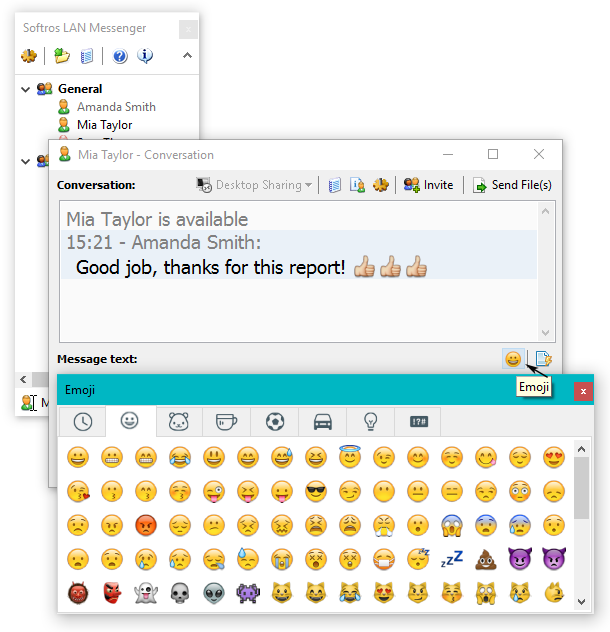
Softros LAN Messenger
Softros LAN Messenger is an instant message application that can be used to communicate with peoples connected on the same Local Area Network. The application is totally safe and secure than any other traditional Instant messenger as it blocks any external access to your confidential data and files. The best advantage of Softros LAN Messenger is that you can still chat over to your friends without having an internet connection. Also, it comes with numerous amazing features including group chat, Announcement, File Transfer, Remote Desktop and Screen Sharing etc. It also supports AES encryption algorithm from eavesdroppers.
Qualia LAN Messenger
Qualia LAN messenger is a tool which can be used to communicate with your friends and colleagues that does not require any dedicated server to get your important files transferred. You can download Qualia LAN Messenger for free and it supports platforms like Windows, Mac, and Linux. The application itself is easy to use and hardly consumes and disk space.

Squiggle
Like other Local messaging apps, Squiggle is also a free LAN Messenger used for Instant messaging on a Local Area Network. You can easily manage and access group chat, broadcast chat, and private chat through Squiggle. There are some other features added with Squiggle LAN messengers like spell checker, buzz, emotions, audio alerts, tray popup, multi-file transfer, display messages, display photo, chat commands, chat history, status history, video chat, and others.
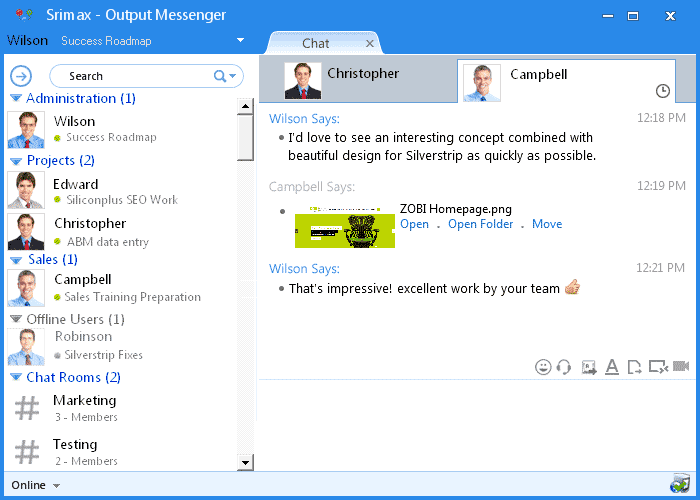
IP Messenger
IP Messenger is one of the best, effective, free, lightweight, less resource utilizing, immensely simple LAN Messenger and is currently available for various platforms. The application works as a pop-up messenger based on TCP/IP and doesn’t require any dedicated server. Some of the top-notch features include server less message communication, transfer data easily, image embedded message, desktop capture, message encryption (RSA2048 bit + AES256 bit) or more features included also, you can check the time when the recipient has actually read your message.

LanTalk
LanTalk NET Messenger offers users with instant messaging over LAN. The set up is quite easy, you’ll be able to figure out things on your own once you run the setup requ, just install the software and it ready for use. The application works automatically, it maintains an active contact list and uses a variety of fonts, colors, style to increase the visual attractive of text messaging. It is based on TCP/IP and UDP protocols to allow PC’s to interact directly with each other.

About author

Why Phone Storage Gets Full Even If You Barely Install Anything

Discover why your phone storage fills up without installing apps. Learn how cached files, photos, hidden downloads, and system data consume space.
Top 5 Entry-Level DSLR Camera Picks to Buy in 2026

Looking for a great beginner camera? Discover the top 5 entry-level DSLR cameras to buy in 2026, featuring the best budget, travel, and video choices.
Best LED Black Friday TV Deals: Your TV Shopping Guide

Discover the best LED Black Friday TV deals for 2026: when sales start, how much you can save on LED, QLED, and OLED TVs, plus tips to spot fake discounts.
Portable Bluetooth Speaker: Best Picks for Your Travel Bag

Looking for a portable Bluetooth speaker for travel? Check out 5 easy-to-carry options with different sound, battery, and durability features.
Budget Gaming PC: The Smart Gamer’s Guide to Saving Money

Looking for a budget gaming PC? Learn how to choose the right GPU, CPU, RAM, storage, PSU, and cooling without overspending.
Why Is My Cell Phone Getting Hot? Learn the Quick Fixes

Wondering why is my cell phone getting hot? Discover the hidden triggers behind your device overheating and learn quick, safe tricks to cool it down fast.