
4 Affordable Ways to Upgrade Your Laptop on a Budget
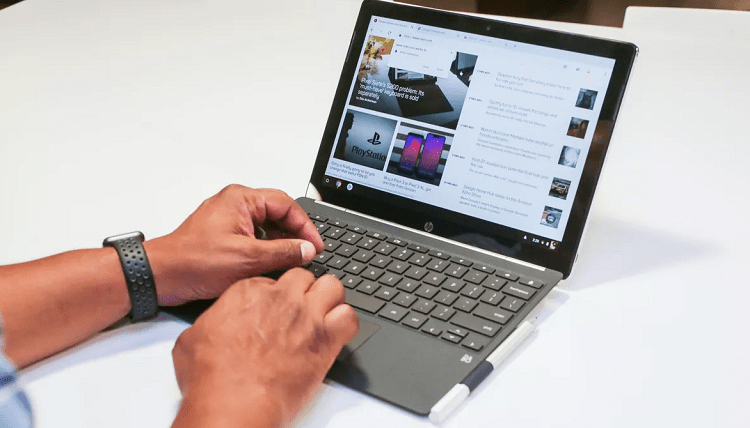
A laptop is considered a basic necessity these days, especially for professionals and students. If you use your laptop all the time for work or study, you may start dealing with lags, slowdowns and glitches after a while. Not only is this frustrating, but it also impacts your productivity!
Many would say it’s time to toss out the old machine and get a new one when this happens. But what if you haven’t saved enough for a new laptop yet?
If you’re on a budget and your existing laptop is giving you trouble, here are a few ways to upgrade it:
1. Upgrade Minor Components - Small upgrades to individual components can often have a dramatic impact on your laptop’s performance. For instance:
• Increasing the RAM could speed up processing by reducing stress on the CPU.
• Replacing a worn-out battery extends the amount of time the laptop stays on.
• Installing the latest operating system can give your laptop a fresh lease of life.
• Adding an external hard drive or replacement hard drive gives you more storage.
• Cleaning up dust or dirt trapped in the laptop can also help it work better.
Minor fixes and upgrades often cost less money than replacing a laptop, especially if you can do them yourself!
2. Use EMIs to Spread Out the Cost - You can use a personal loan, credit card or personal line of credit to buy a new laptop on EMI. Applying for a laptop loan these days is easy, quick and convenient. You can compare various loan products and apply online to buy laptop on loan.
Making payments in monthly installments rather than a lump-sum reduces the financial burden of an expensive purchase. You can also get a lower price on your new laptop by offering the old one in exchange.
3. Look for the Best Laptop Deals - You may think a new laptop is out of your budget, but have you looked for sales and promotions? Do it now. You may find that replacing your old machine is not only possible but actually quite affordable.
Many e-commerce stores and physical retailers offer huge deals and discounts on electronic gadgets, especially around the holidays. Some also allow you to buy a laptop on EMI without credit cards. Check the prices on multiple websites and apps to find the best deal on the laptop you want.
4. Sell or Exchange Your Laptop - If you don’t have enough money for a new laptop, cash in your old one. It could bring in a decent price if you post it for sale or exchange on buy-and-sell sites, social media groups and other online marketplaces, or even retail/repair stores.
The money you receive from selling your old machine can be used to buy a new laptop on EMI. You can make at least a few EMI payments with it, and then pay off the rest later while enjoying a new laptop now!
Samsung TV Not Connecting to WiFi? Get the Easy Fixes Here

Samsung TV not connecting to WiFi? Learn why it happens, try easy step-by-step fixes, and know what to do if nothing works. Fix & get back to streaming fast.
Rangefinder Digital Cameras: Benefits and Limitations

Discover what a rangefinder in digital camera is, how its focusing works, its advantages and limitations, and why photographers love it for street photography.
Why Phone Storage Gets Full Even If You Barely Install Anything

Discover why your phone storage fills up without installing apps. Learn how cached files, photos, hidden downloads, and system data consume space.
Top 5 Entry-Level DSLR Camera Picks to Buy in 2026

Looking for a great beginner camera? Discover the top 5 entry-level DSLR cameras to buy in 2026, featuring the best budget, travel, and video choices.
Best LED Black Friday TV Deals: Your TV Shopping Guide

Discover the best LED Black Friday TV deals for 2026: when sales start, how much you can save on LED, QLED, and OLED TVs, plus tips to spot fake discounts.
Portable Bluetooth Speaker: Best Picks for Your Travel Bag

Looking for a portable Bluetooth speaker for travel? Check out 5 easy-to-carry options with different sound, battery, and durability features.