
Best Laptops For Gamers To Buy In 2026
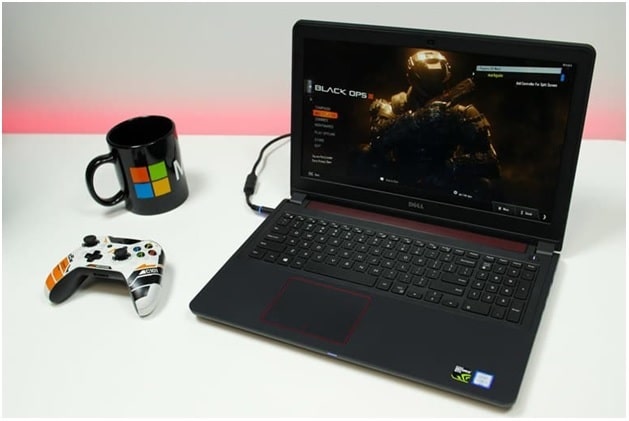
Who does not need a laptop? Students, corporate workers, even retired adults everybody relies on a good laptop to keep them connected to the outside world. Ever wondered why laptops are so popular? They seem to follow standalone tablets and smartphones in the league. The reason is their versatility. They are compact, portable and convenient units for studying, working, playing, and everyday usage.
Look around you will see students conducting their research, office employees documenting their work, gamers gaming, bloggers blogging, etc. They all rely on a fully functional laptop to do so. If you are looking to buy a good laptop for yourself, have a look at theholytech.com. They have recommendations for every kind of laptop user so you won’t have any difficulty figuring out the right one for yourself. To facilitate you further we have prepared a helpful buyer’s guide to the right laptop. Below are some of the important aspects that you should consider when buying a laptop.
Razer Blade 15
When it was released, the Razer Blade 15 was called the smallest 15 inches laptop ever created. Though it might not hold true now, it still is a very slim laptop measuring merely 0.68 inches thick. It houses an Intel Core i7 processor paired with a slimmed-down Nvidia Max-Q GPU. The Pascal series may be getting old but this unit is still capable of handling all triple A rated gaming titles. We all recognize Razer for its triple headed serpent logo. With this laptop they have taken an elegant and subdued approach. The design shows an industrial aesthetic with a premium feel. The impressively immersive display is surrounded by very thin bezels. It’s keyboard is also very unique. The standard QWERTY layout is tweaked to include an up arrow key. The glass touch pad is spacious, precise and smooth.
Dell G5 15
The Dell G5 15 SE is an affordable gaming laptop. It features a superb build quality that makes it look and feel more expensive than it actually is. The hinge facilitates one hand opening and the screen does not wobble much when you are using it on your lap. On the gaming benchmark, this laptop lies in the middle with its Radeon RX5600M. Combined with the Smartshift technology, the performance is on par with many high-end systems. It has a bright and colorful panel with a 1080p resolution that is housed inside thin bezels. It sprouts a full keyboard with a numeric pad on the right. The keys are somewhat shallow but essentially very good. They have even put the volume and brightness controller keys on the functional keypad. The track pad is plastic yet very accurate and precise.
Other Specs
Other specs to consider include a fast processor for better performance, big RAM for fast processing, large storage or an SSD if you can afford it, solid performing GPU, a number of connectivity ports especially the USB, Bluetooth connectivity, Wi-Fi and 4G LTE support, and a CD ROM if you need it.
These are the considerations that you should bear in mind while shopping for a new laptop. Since you will not be changing it soon, we suggest that you purchase a quality unit that not only deserves the money you spend over it, but also gives you its equivalent in terms of service.
Samsung TV Not Connecting to WiFi? Get the Easy Fixes Here

Samsung TV not connecting to WiFi? Learn why it happens, try easy step-by-step fixes, and know what to do if nothing works. Fix & get back to streaming fast.
Rangefinder Digital Cameras: Benefits and Limitations

Discover what a rangefinder in digital camera is, how its focusing works, its advantages and limitations, and why photographers love it for street photography.
Why Phone Storage Gets Full Even If You Barely Install Anything

Discover why your phone storage fills up without installing apps. Learn how cached files, photos, hidden downloads, and system data consume space.
Top 5 Entry-Level DSLR Camera Picks to Buy in 2026

Looking for a great beginner camera? Discover the top 5 entry-level DSLR cameras to buy in 2026, featuring the best budget, travel, and video choices.
Best LED Black Friday TV Deals: Your TV Shopping Guide

Discover the best LED Black Friday TV deals for 2026: when sales start, how much you can save on LED, QLED, and OLED TVs, plus tips to spot fake discounts.
Portable Bluetooth Speaker: Best Picks for Your Travel Bag

Looking for a portable Bluetooth speaker for travel? Check out 5 easy-to-carry options with different sound, battery, and durability features.